Save Editor / Games / Twine / SugarCube games
SugarCube Save Editor (Twine .save)
Edit SugarCube .save files from Twine games in your browser: money, stats, flags and every $variable, re-compressed so the game loads them.

Modding instead of editing? How to install mods with r2modman or Gale
Project sources: SugarCube 2 documentation: Save API
⚠ Only edit saves of games you play offline or single-player. Editing saves of online games with anti-cheat or a shared economy can get your account banned.
How to verify it never uploads: open DevTools → Network, load your save and download the edited copy — no request carries your file (the only outgoing call is an anonymous page-view count). You can also load the page, turn off Wi-Fi and edit offline.
What you can edit in Twine / SugarCube games
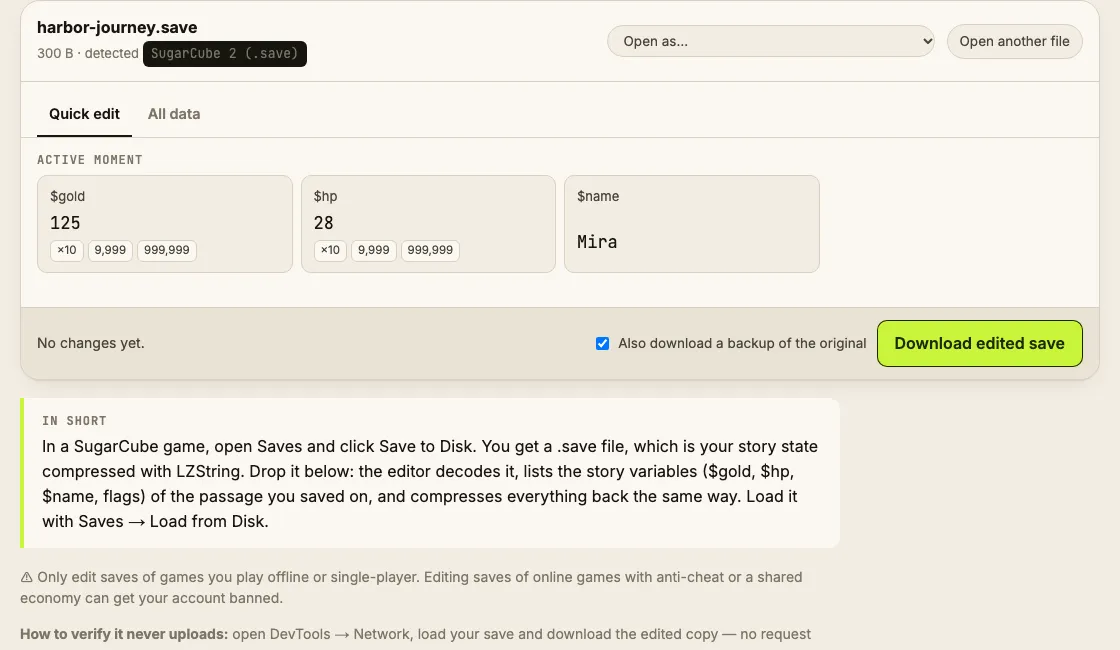
- Every story variable of the current moment: numbers, text, true/false flags
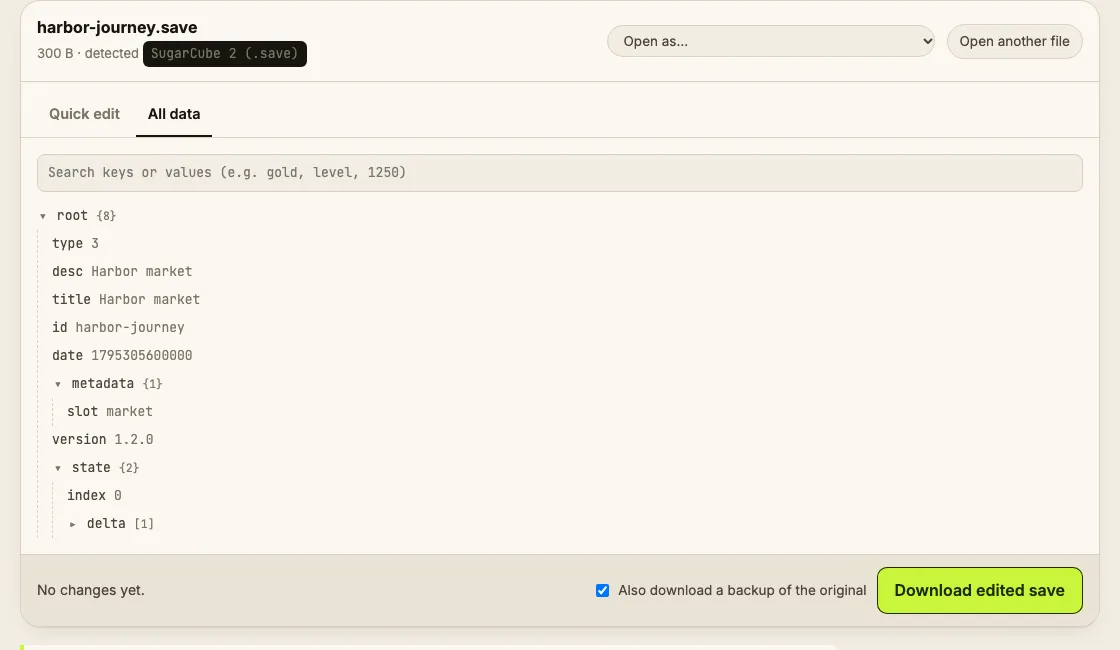
- Arrays and objects such as inventories, shown as a tree in All data
- Save title and metadata shown for reference
Where is the Twine / SugarCube games save file?
| Platform | Location |
|---|---|
| Browser (itch.io, local .html) | In-game: Saves → Save to Disk downloads a .save fileSugarCube keeps its own slots in the browser's local storage, which you can't edit directly. Export to disk first. |
| Downloaded desktop builds (NW.js / Electron) | Same menu: Saves → Save to DiskPackaged games still use SugarCube's save dialog. Pick a folder you can find again. |
| Load the edited file | In-game: Saves → Load from Disk → pick the edited .save |
How to edit your Twine / SugarCube games save
- In the game, open Saves and click Save to Disk. Keep a copy of that file.
- Drop the .save below. Check that the variables match where you are in the story.
- Change values in Quick edit, or open All data for arrays and nested objects.
- Download the edited save.
- In the game, choose Saves → Load from Disk and pick the downloaded file.
Tips
- Variable names come from the author, so they vary between games. Look for obvious ones like $money, $cash, $gold, $energy or $affection_<name>.
- Keep the type the same. If a variable holds a number, enter a number; text in a numeric stat can break the game's own checks.
Limits
- SugarCube 2 only. Harlowe, Snowman and Chapbook stories don't use .save files; Harlowe saves live only in browser storage.
- Some games add their own integrity checks or save-version migrations. If the game refuses the file, restore your copy.
- Edits apply to the moment you saved on. Going back in the game's history can show older values.
- Twine and SugarCube are open-source projects; this independent tool isn't affiliated with them or any game author.
Editors that work the same way
- Renpy Save Editor (Ren'Py .save & persistent): the other big visual-novel engine, where affection points and flags are store variables you can edit the same way.
- RPG Maker Save Editor (MV & MZ): RPG Maker MV and MZ saves are LZString-compressed JSON too, with gold, items and switches.
- Trials in Tainted Space Save Editor: another browser-played text game, with its own HTML5 and Flash save formats.
- Cookie Clicker Save Editor: a browser game whose save is also an encoded text string you export, edit and import.
Twine / SugarCube games save editing FAQ
Where is my SugarCube save file?
There isn't one until you export it. SugarCube stores slots in browser local storage. Open the game's Saves dialog and click Save to Disk to get a .save file you can edit.
The file is a long line of random letters. Is it encrypted?
No. It's JSON compressed with LZString and written as Base64. The editor undoes that, shows the data, and compresses it the same way on download.
Can I paste a save code instead of a file?
Yes. Some games show the save as text instead of a file. Use the paste box below; the text is the same as the file's contents and opens the same way.
Why are there several copies of my variables?
SugarCube keeps a short history of moments so the Back button works. The editor edits the moment you saved on, which is the one the game loads.
Does it work with Harlowe games?
No. Harlowe doesn't export save files, it only uses browser storage. You'd need browser developer tools to edit those.
Is it safe?
The file is decoded and re-encoded in your browser and never uploaded. Keep the original .save so you can always load it again.
Tested with SugarCube 2 saves built to the format in SugarCube's own source (save serialisation and delta-encoded history): unchanged export is identical, variable edits reopen with other variables untouched. Save Editor is an independent tool and isn't affiliated with the makers of Twine / SugarCube games.
Other save editors