Free · runs in your browser · no upload
Edit any save file, right here.
Drop a save, change your gold, levels, items and unlocks, and download it again. Your file never leaves your computer.
Game editors
Pick your game
Each page knows the game's save format, shows the fields that matter, and tells you exactly where the file is.
Mod guides
Installing mods instead?
The best mods for each game, who in your lobby needs them, and Gale / r2modman / manual installs — with links to the official mod pages.
How it works
Three steps, about a minute
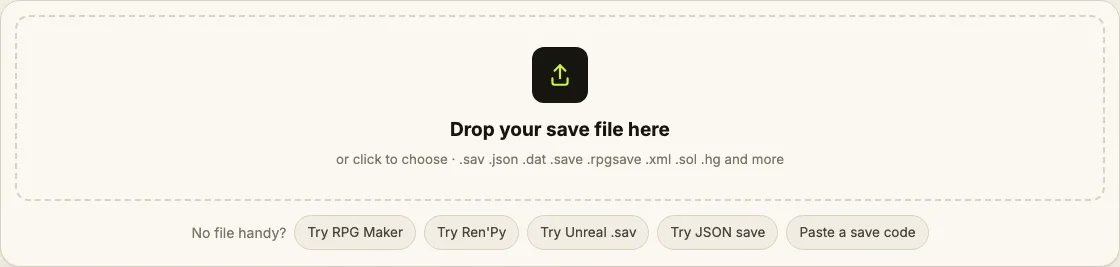
Drag the file onto the box or click to choose it. The format is detected automatically.
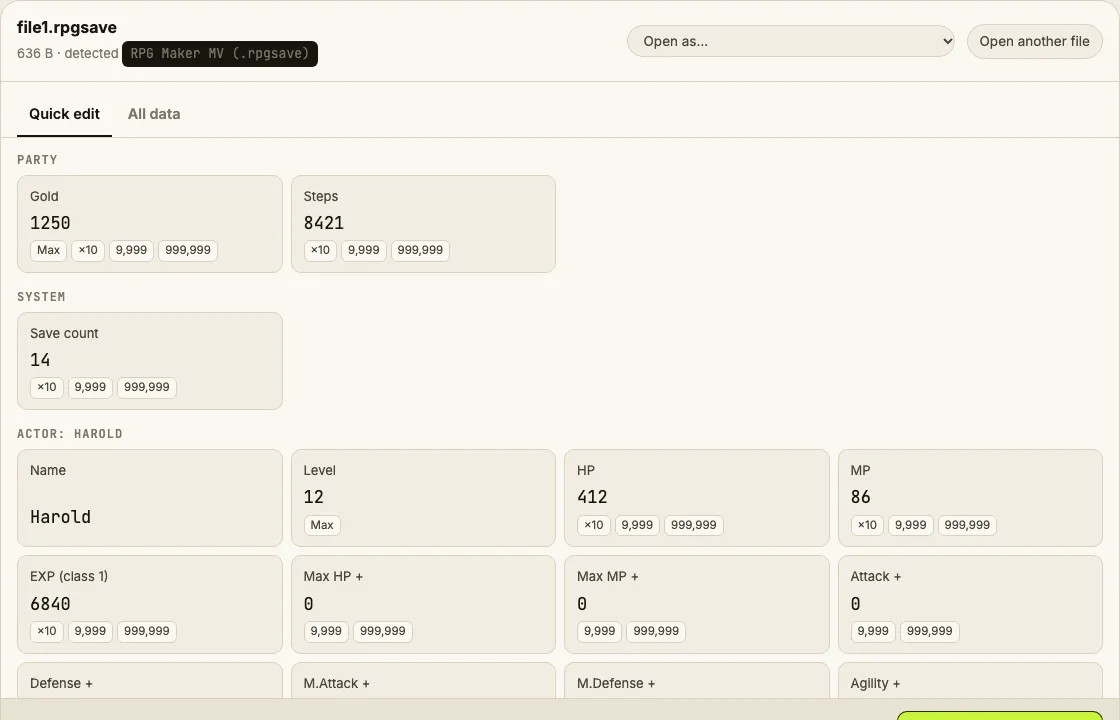
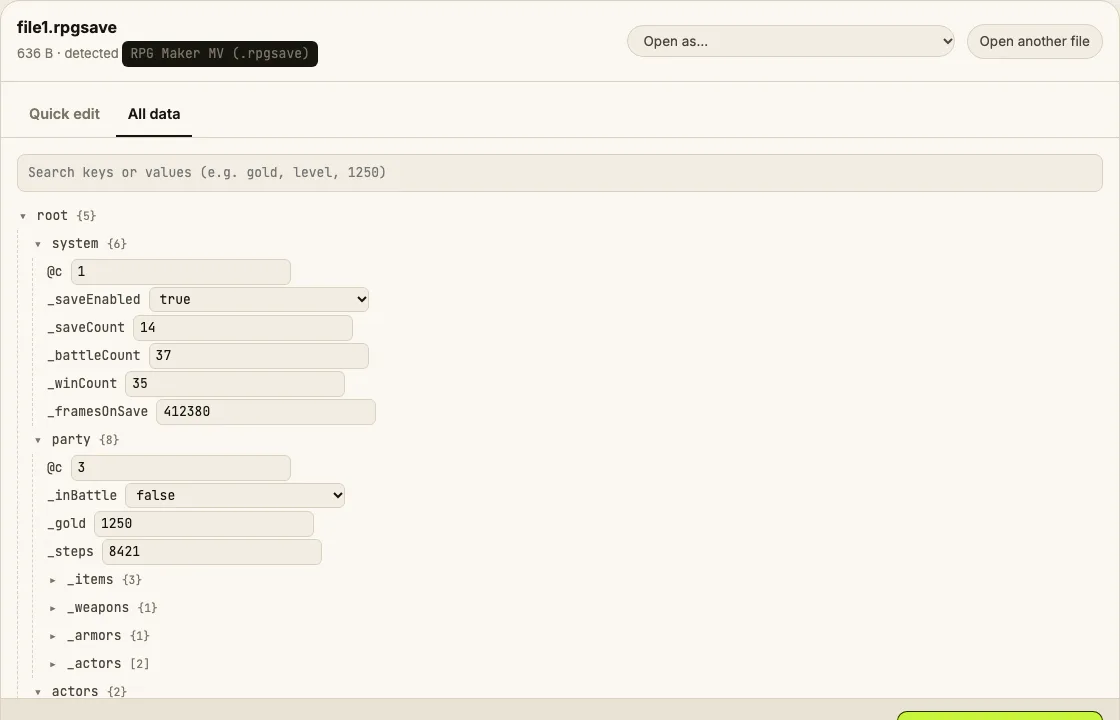
Quick edit shows gold, levels, HP and items with plain names. All data has every value, with search.
Get the edited save plus a backup of the original. Put it back in the save folder and start the game.
Privacy you can check
Your save never leaves this tab
Everything — reading, decrypting, decompressing, editing, re-encrypting — runs as JavaScript in your browser. Open DevTools → Network while you edit: the only requests are the page itself. Pull your network cable after the page loads and it still works.
Game of the day
Caps, Nuka-Cola Quantum, lunchboxes, resources and every dweller's SPECIAL.
Open the editor →A different supported game is featured every day, with its save location and a sample file to try.
Which game should we add next?
Votes are counted anonymously (game name only) and decide what we build next.
Formats
Works with your game even without a page
| Engine / format | Typical files | What you can edit |
|---|---|---|
| JSON saves (Unity, Godot, HTML5, GameMaker…) | .json .save .sav .dat | Every value; money/level/HP surfaced automatically |
| Base64 / URL-encoded / gzip JSON | any | Decoded, edited, re-encoded the same way |
| Twine / SugarCube & LZString HTML5 saves | .save .txt | Every variable |
| RPG Maker MV / MZ | .rpgsave .rmmzsave | Gold, items, actors, variables |
| Ren'Py | .save | Every store variable (safe pickle reader) |
| Unreal Engine 4 / 5 (GVAS) | .sav | Numeric properties, booleans; tree of everything |
| Flash shared objects (AMF0/AMF3) | .sol | Every value |
| XML saves (.NET XmlSerializer and others) | .xml, no extension | Every value, byte-preserving |
| Anything else | any | Hex editor with number and text search |
Compared
How it compares to other online save editors
| Save Editor | saveeditonline.com | saveeditor.online | |
|---|---|---|---|
| Your file stays on your device | Yes — nothing is uploaded | Uploads to the server | Yes |
| Price | Free, no account | Free + Patreon | Free + Pro $2.50/mo |
| Game-specific friendly fields | 12 games | Generic tree | Generic tree |
| Encrypted game saves (Fallout Shelter, Hollow Knight, Terraria) | Decrypt + re-encrypt | No | No |
| Save location guide per game | Yes, per platform | No | No |
| Automatic backup of the original | Yes | No | No |
| Hex editor with number search | Yes | No | No |
Checked 2026-11-15 from each site's public pages.
FAQ
Questions
Is my save file uploaded anywhere?
No. The page reads the file with your browser's File API and does all decoding, decryption and re-encoding in JavaScript on your device. You can check it yourself: open DevTools → Network, drop a save, and you'll see no request carrying it. It also works offline once the page has loaded.
Which games does it work with?
Twelve games have dedicated pages with friendly fields and save-path guides (Fallout Shelter, Hollow Knight, Terraria, Stardew Valley, Cookie Clicker, No Man's Sky, Risk of Rain 2, Gen 3 Pokémon, Ren'Py and RPG Maker games, Trials in Tainted Space, plus a Borderlands 4 guide). The universal editor also opens JSON, Base64/gzip JSON, XML, Unreal GVAS, Flash .sol and any other file in a hex editor.
Can I get banned for editing a save?
Editing a single-player save can't get you banned. Online games are different: editing saves of games with anti-cheat or a shared online economy can get your account banned, which is why we don't support them.
What if the edited save doesn't load?
Every download can include an untouched copy of your original (the .backup file). Put that back and you're exactly where you started. Most problems come from cloud saves restoring the old file — turn off Steam Cloud for the game while you replace it.
Is it really free?
Yes. There's no account, no Pro tier and no limit on file size or number of edits. The site may show a small ad in the future; editing will stay free.
How is this different from other online save editors?
Some upload your save to their server or keep features behind a subscription. This one never uploads, has no paid tier, shows game-specific fields with plain names instead of raw keys, tells you where each game keeps its saves, and offers a backup with every download.