Save Editor / Games / Hollow Knight & Silksong
Hollow Knight Save Editor
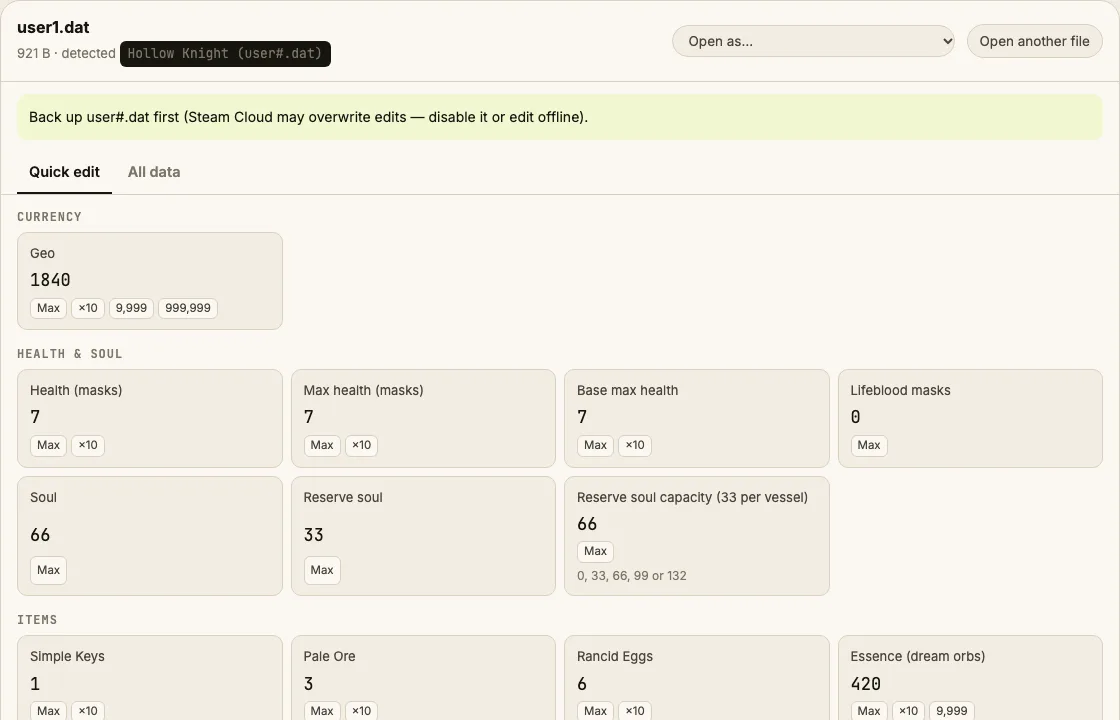
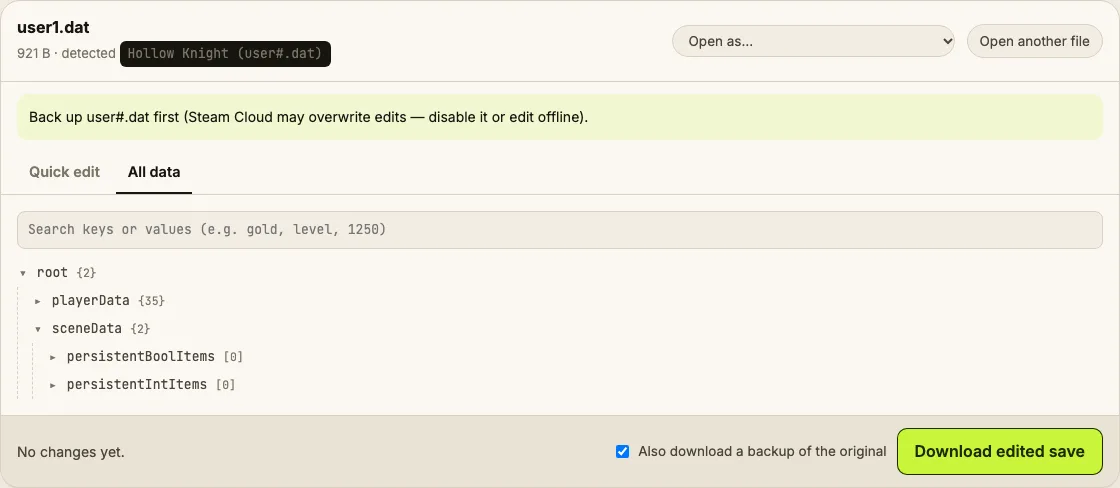
Edit Hollow Knight user1.dat online: geo, health masks, soul, charm notches, pale ore, simple keys and the full playerData.
⚠ Only edit saves of games you play offline or single-player. Editing saves of online games with anti-cheat or a shared economy can get your account banned.
How to verify it never uploads: open DevTools → Network, load your save and download the edited copy — no request carries your file (the only outgoing call is an anonymous page-view count). You can also load the page, turn off Wi-Fi and edit offline.
What you can edit in Hollow Knight & Silksong
- Geo
- Health masks
- Soul vessels (MP reserve)
- Charm notches
- Pale ore, simple keys, rancid eggs
- Dream Nail essence
- Any playerData value in All data
Where is the Hollow Knight & Silksong save file?
| Platform | Location |
|---|---|
| Windows | %USERPROFILE%\AppData\LocalLow\Team Cherry\Hollow Knight\ |
| macOS | ~/Library/Application Support/unity.Team Cherry.Hollow Knight/ |
| Linux / Steam Deck | ~/.config/unity3d/Team Cherry/Hollow Knight/ |
| Silksong (Windows) | %USERPROFILE%\AppData\LocalLow\Team Cherry\Hollow Knight Silksong\<number>\ |
Tip: on Windows, paste a path that starts with % into the File Explorer address bar.
How to edit your Hollow Knight & Silksong save
- Quit to the desktop — Hollow Knight writes the save when you exit or sit on a bench.
- Find user1.dat (slot 1), user2.dat (slot 2) and so on. Copy it as a backup.
- Drop it into the editor. Quick edit shows geo, masks, soul and items.
- Change values, then Download edited save.
- Replace the original file with the same name and start the game.
Tips
- Raise max health by changing maxHealth and maxHealthBase together, then rest on a bench so the HUD refreshes.
- Ignore the user1.dat.bak files — the game makes them; you only edit user1.dat.
Limits
- Silksong support depends on its save using the same encryption as Hollow Knight. If your Silksong file doesn't open, the page says so instead of writing a broken file.
Hollow Knight & Silksong save editing FAQ
Why does user1.dat look like random characters?
It's a .NET serialization header around Base64 text, and the text is AES-encrypted JSON. The key has been public in the modding community for years, so the editor can decrypt and re-encrypt it locally.
Will editing break achievements?
Steam achievements unlock from in-game events, not from the save numbers. Setting geo doesn't unlock anything by itself; you still earn achievements by playing.
Can I get a charm without finding it?
Yes — in All data, search for the charm's gotCharm_ flag (for example gotCharm_11) and set it to true. Equip it on a bench.
How do I edit Steel Soul saves?
The same way. Steel Soul is a field inside the save (permadeathMode). Changing it is possible but not recommended.
Does it work with modded saves?
Usually. Mods that add their own data store it in separate files; the main playerData still opens.
Round-trip tested on generated saves; real-save results are listed on the About page. Save Editor is an independent tool and isn't affiliated with the makers of Hollow Knight & Silksong.
Other save editors