Save Editor / Games / Stardew Valley
Stardew Valley Save Editor
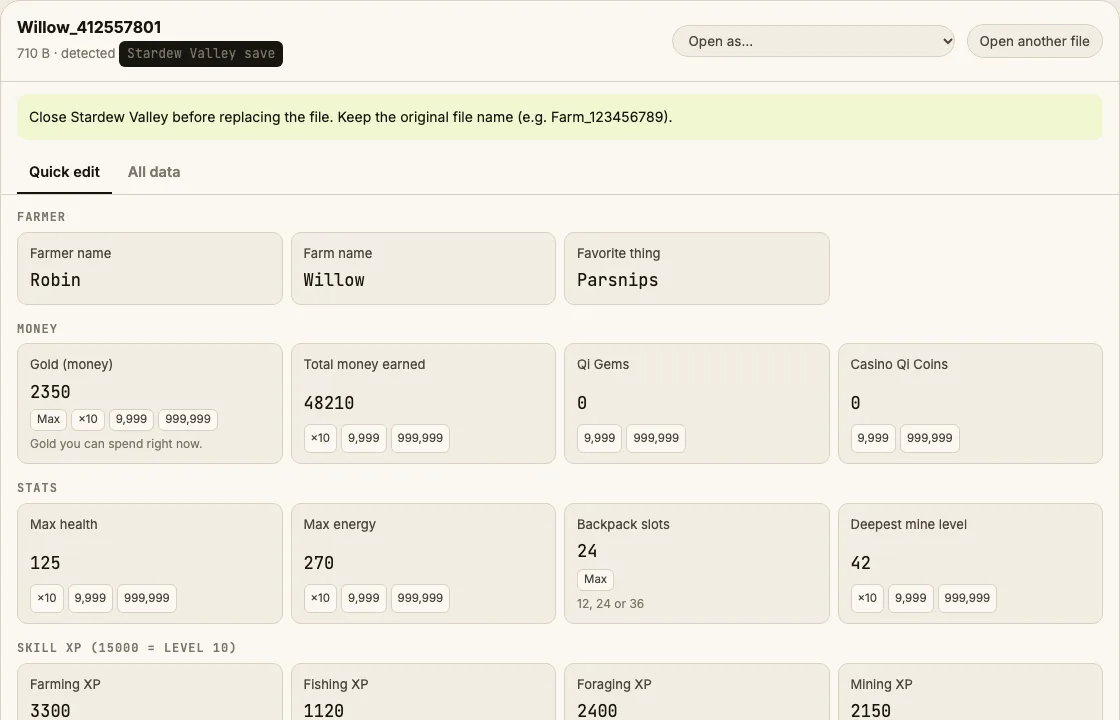
Edit Stardew Valley saves online: gold, total money earned, Qi gems, casino coins, max health, energy, backpack slots and skill XP.
⚠ Only edit saves of games you play offline or single-player. Editing saves of online games with anti-cheat or a shared economy can get your account banned.
How to verify it never uploads: open DevTools → Network, load your save and download the edited copy — no request carries your file (the only outgoing call is an anonymous page-view count). You can also load the page, turn off Wi-Fi and edit offline.
What you can edit in Stardew Valley
- Gold and total money earned
- Qi gems and casino Qi coins
- Max health and max energy
- Backpack slots (12 / 24 / 36)
- Farming, fishing, foraging, mining, combat XP
- Farmer and farm name
- Every other value in All data
Where is the Stardew Valley save file?
| Platform | Location |
|---|---|
| Windows | %APPDATA%\StardewValley\Saves\<Farm>_<id>\ |
| macOS | ~/.config/StardewValley/Saves/<Farm>_<id>/ |
| Linux / Steam Deck | ~/.config/StardewValley/Saves/<Farm>_<id>/ |
| Android | Android/data/com.chucklefish.stardewvalley/files/Saves/ |
Tip: on Windows, paste a path that starts with % into the File Explorer address bar.
How to edit your Stardew Valley save
- Sleep in-game so the day saves, then quit to the title screen or desktop.
- Open the save folder and copy the whole farm folder as a backup.
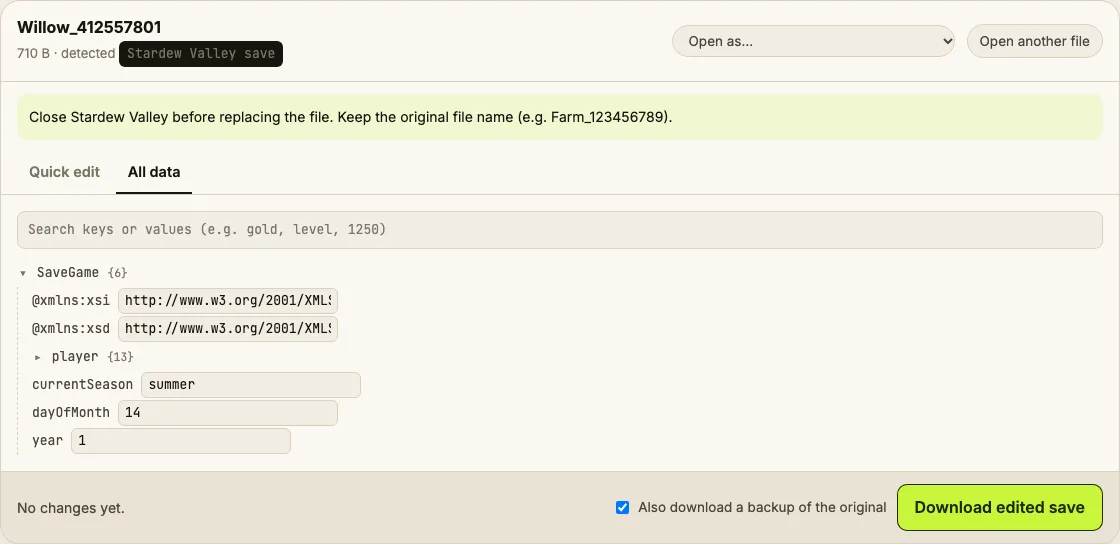
- Drop the big file named like Farm_123456789 (not SaveGameInfo) into the editor.
- Change values in Quick edit, then Download edited save.
- Replace the file in the farm folder, keeping the exact same name with no extension.
Tips
- Skill XP of 15,000 is level 10. Raising XP gives you the level-up choice screen the next night.
- In multiplayer farms, each farmhand has their own money unless money is shared; edit the host's file while everyone is offline.
Limits
- Adding specific items to chests is possible in All data but fiddly; use the in-game CJB Item Spawner mod if you need many items.
Stardew Valley save editing FAQ
Which file do I edit — SaveGameInfo or the big one?
The big one with the farm name and ID (e.g. Willow_412557801). SaveGameInfo is just the summary for the load screen; the editor tells you if you dropped that one.
Will editing break my save?
The editor only rewrites the characters of the values you change and leaves every other byte untouched, so the XML stays valid. Still, keep the backup it offers.
How much gold is safe?
Anything up to 99,999,999 displays correctly. Bigger numbers overflow the money counter.
Does it work with SMAPI mods?
Yes. Mod data is stored in the same XML or in separate files, and the editor doesn't touch anything you don't change.
Can I change my farm type?
Search whichFarm in All data. It's possible, but buildings may end up in odd places — back up first.
Byte-preserving XML editing tested on generated saves. Save Editor is an independent tool and isn't affiliated with the makers of Stardew Valley.
Other save editors