Save Editor / Games / Fallout Shelter
Fallout Shelter Save Editor
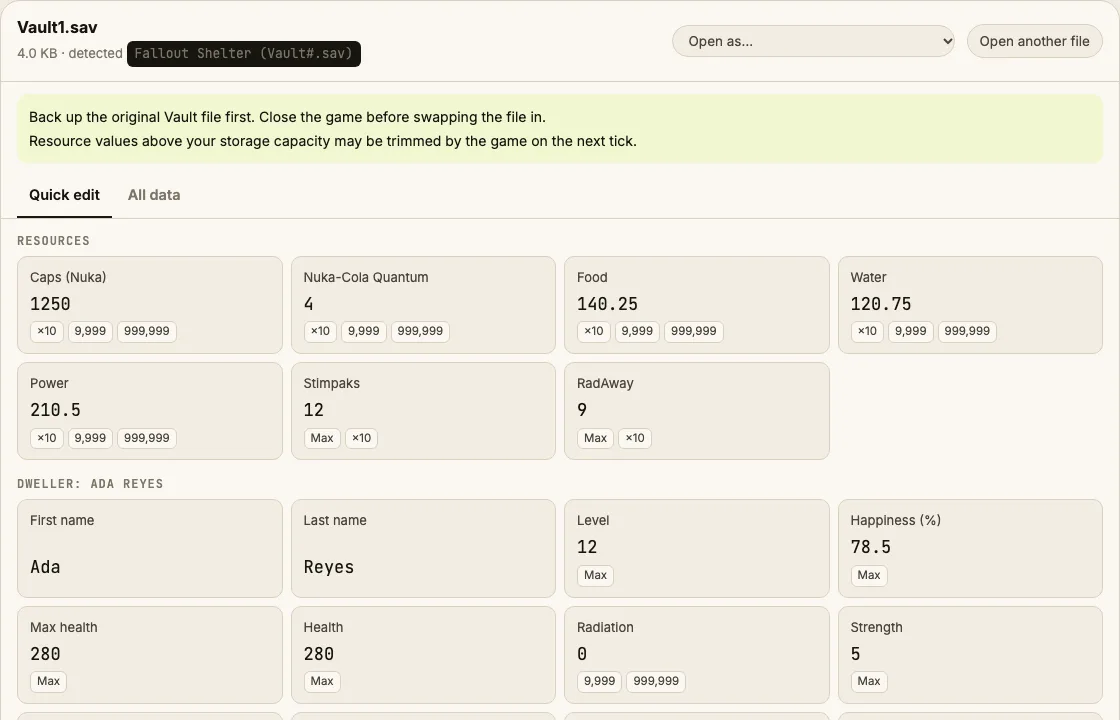
Edit Fallout Shelter Vault1.sav in your browser: caps, Nuka-Cola Quantum, lunchboxes, food, water, power and dweller SPECIAL stats.
⚠ Only edit saves of games you play offline or single-player. Editing saves of online games with anti-cheat or a shared economy can get your account banned.
How to verify it never uploads: open DevTools → Network, load your save and download the edited copy — no request carries your file (the only outgoing call is an anonymous page-view count). You can also load the page, turn off Wi-Fi and edit offline.
What you can edit in Fallout Shelter
- Caps
- Nuka-Cola Quantum
- Lunchboxes, Mr. Handy boxes & pet carriers
- Food, water, power, Stimpaks, RadAway
- Dweller names, levels and S.P.E.C.I.A.L.
- Dweller happiness
Where is the Fallout Shelter save file?
| Platform | Location |
|---|---|
| Windows (Steam) | %USERPROFILE%\Documents\My Games\Fallout Shelter\ |
| Windows (Microsoft Store / Bethesda) | %LOCALAPPDATA%\FalloutShelter\ |
| Android | Android/data/com.bethsoft.falloutshelter/files/Android 11+ hides this folder; use a PC over USB or the Files by Google app's "Android/data" access. |
| iPhone / iPad | Not reachable without backup toolsiOS keeps the file inside the app sandbox. |
Tip: on Windows, paste a path that starts with % into the File Explorer address bar.
How to edit your Fallout Shelter save
- Close Fallout Shelter completely (on Steam, wait until it stops showing as running).
- Copy Vault1.sav somewhere safe as a backup — the slot number matches the vault in the main menu.
- Drop the file into the editor above, or click the box to choose it.
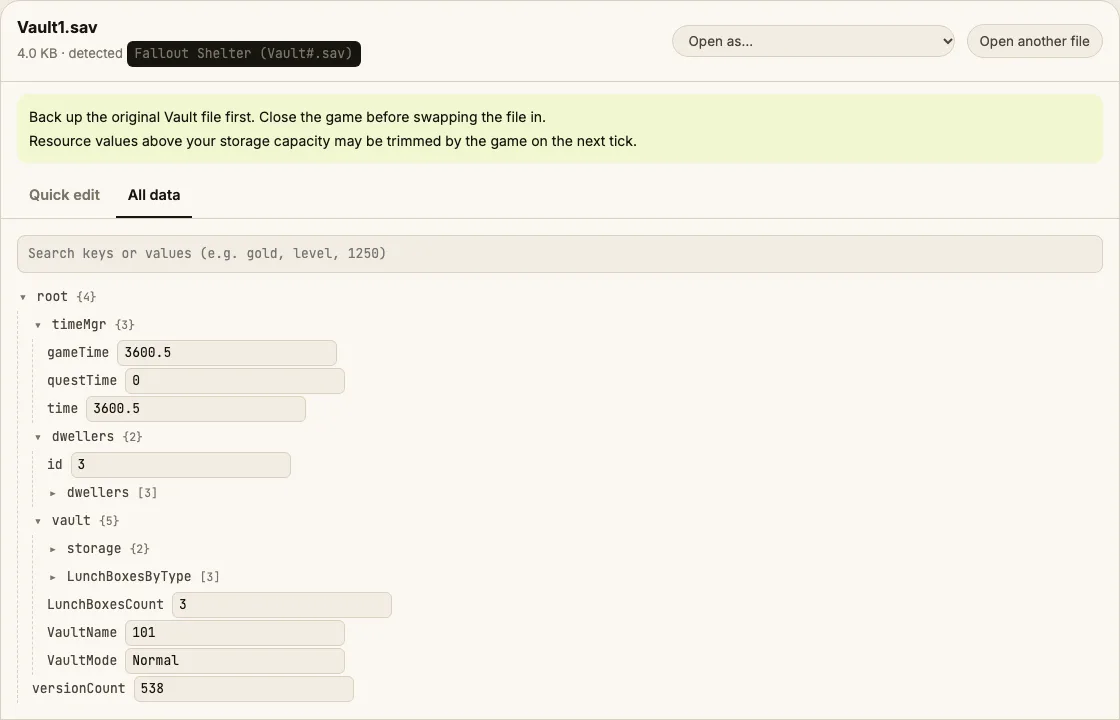
- Change caps, Quantum, lunchboxes or dwellers in Quick edit. The All data tab shows the full decrypted vault.
- Click Download edited save and put the file back in the same folder with the same name.
- Start the game and open the vault.
Tips
- Steam Cloud can overwrite your edit with the old cloud copy. If your changes disappear, turn off Steam Cloud for Fallout Shelter, replace the file again, then turn it back on after playing.
- Huge numbers can break the in-game counters. Caps up to 999,999 and a few hundred lunchboxes are safe.
Limits
- Mobile saves can be edited if you can copy the file off the device; we can't reach iOS app storage for you.
Fallout Shelter save editing FAQ
Will Bethesda ban me for editing my vault?
Fallout Shelter is single-player with no online leaderboard or trading, so there is nothing to ban. Purchases you made are not affected.
Why is my Vault1.sav unreadable in Notepad?
The file is Base64 text wrapping AES-encrypted JSON. The editor decrypts it with the game's publicly documented key, entirely in your browser, and encrypts it again when you download.
My edit didn't stick. What happened?
Usually Steam Cloud restored its copy, or the game was still running and saved over the file on exit. Close the game first, disable Steam Cloud for the game, and replace the file again.
Can I open lunchboxes with the editor?
You can set how many unopened lunchboxes, Mr. Handy boxes and pet carriers you have. Opening them still happens in-game, so the rewards are rolled normally.
Is there a backup of my vault?
The game keeps Vault1.sav.bkp next to the save. The editor can also download an untouched copy of your original every time you save.
Round-trip tested on generated vaults; see the verification notes on the About page. Save Editor is an independent tool and isn't affiliated with the makers of Fallout Shelter.
Other save editors