Save Editor / Games / Cookie Clicker
Cookie Clicker Save Editor
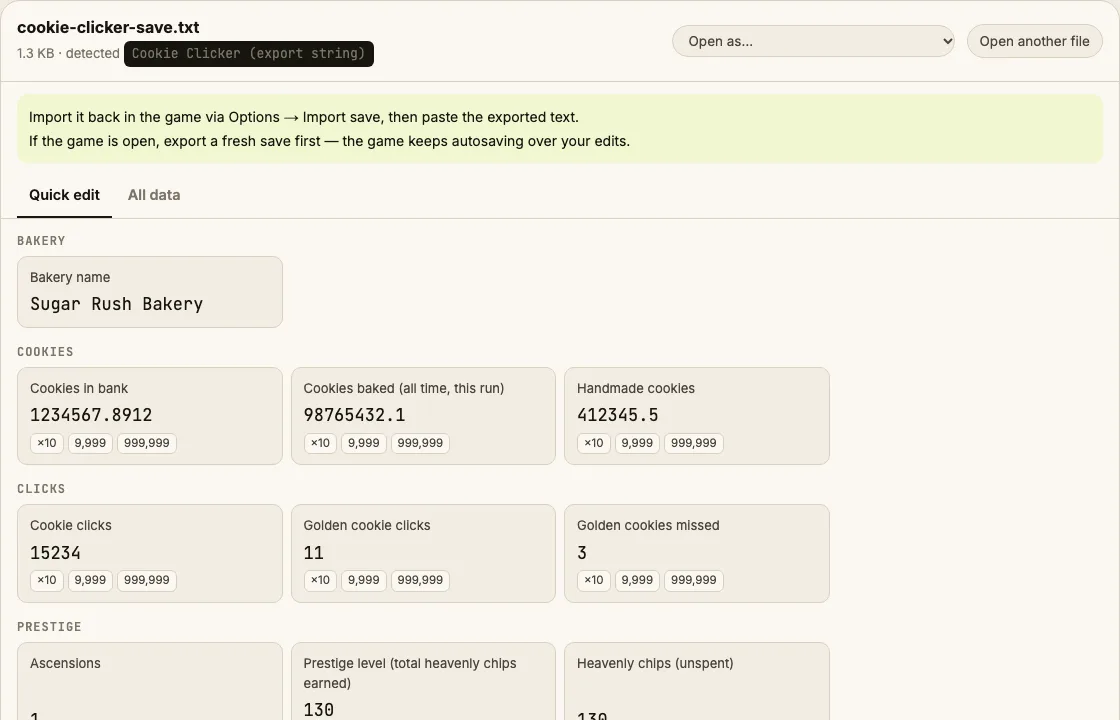
Paste your Cookie Clicker export code and change cookies, cookies baked all time, clicks, golden cookie clicks, bakery name and building counts.
⚠ Only edit saves of games you play offline or single-player. Editing saves of online games with anti-cheat or a shared economy can get your account banned.
How to verify it never uploads: open DevTools → Network, load your save and download the edited copy — no request carries your file (the only outgoing call is an anonymous page-view count). You can also load the page, turn off Wi-Fi and edit offline.
What you can edit in Cookie Clicker
- Cookies in bank
- Cookies baked (this ascension and all time)
- Cookie clicks and handmade cookies
- Golden cookie clicks
- Bakery name
- Amount of each building (Cursor → You)
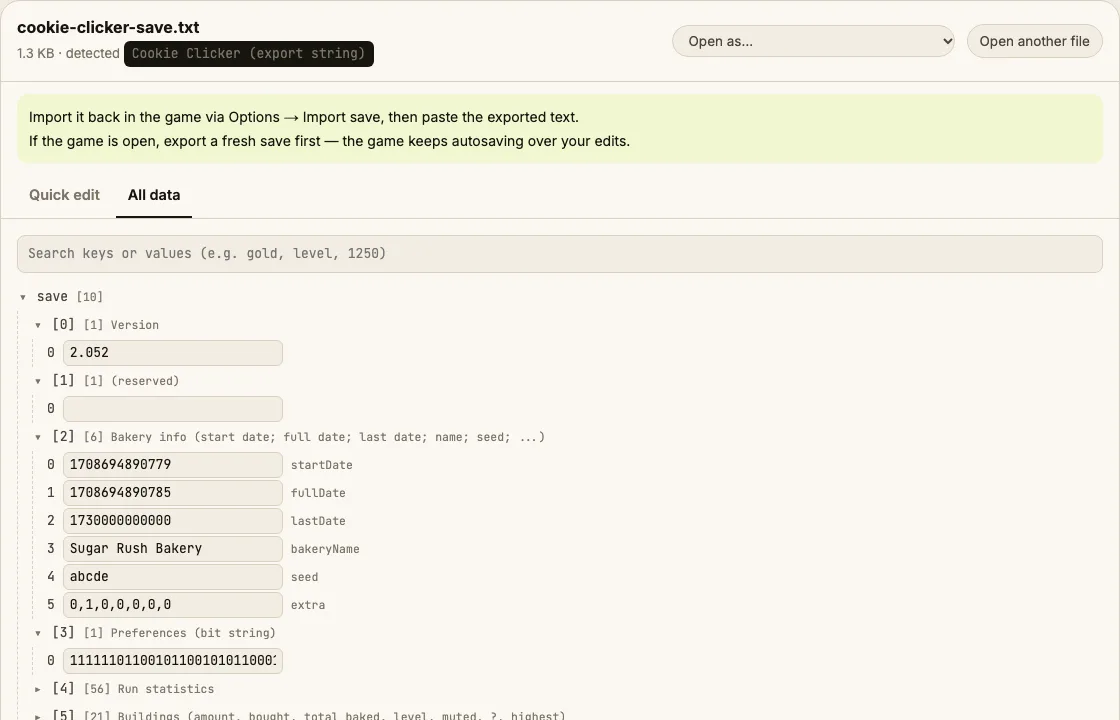
- Every raw field in All data
Where is the Cookie Clicker save file?
| Platform | Location |
|---|---|
| Browser version | Options → Export save (copy the text) |
| Steam version | Options → Export save, or "Save to file" for a .txtImport the same way: Options → Import save. |
Tip: on Windows, paste a path that starts with % into the File Explorer address bar.
How to edit your Cookie Clicker save
- In the game, open Options and click Export save. Copy all of the text.
- Click "Paste a save code" above, paste it and press Open.
- Change cookies, buildings or names in Quick edit.
- Click Download edited save to get a .txt, or copy the code from the file.
- In the game, Options → Import save, paste the new code and confirm.
Tips
- Cookie Clicker shows the "Cheated cookies taste awful" shadow achievement only when you use the in-game console; editing the save code doesn't trigger it.
Limits
- Upgrades and achievements are stored as packed bit strings; they're visible in All data but not offered as simple toggles yet.
Cookie Clicker save editing FAQ
What is the long code I export?
It's your whole game as Base64 text, URL-escaped, ending in !END!. Fields are separated by | and ; — the editor decodes them and shows the important ones by name.
Do I get the 'Cheated cookies taste awful' achievement?
That shadow achievement is awarded by the in-game cheat console, not by importing a save. Importing an edited save doesn't trigger it.
Does it work with the Steam version?
Yes. The Steam version uses the same export format. Use Options → Export save, edit here, then Options → Import save.
Can I set a building count to a huge number?
Yes, but prices scale with how many you own, so very large counts make the next purchase effectively impossible. A few hundred per building is plenty.
Round-trip tested on generated export codes (escaped and unescaped). Save Editor is an independent tool and isn't affiliated with the makers of Cookie Clicker.
Other save editors