Save Editor / Games / Risk of Rain 2
Risk of Rain 2 Save Editor
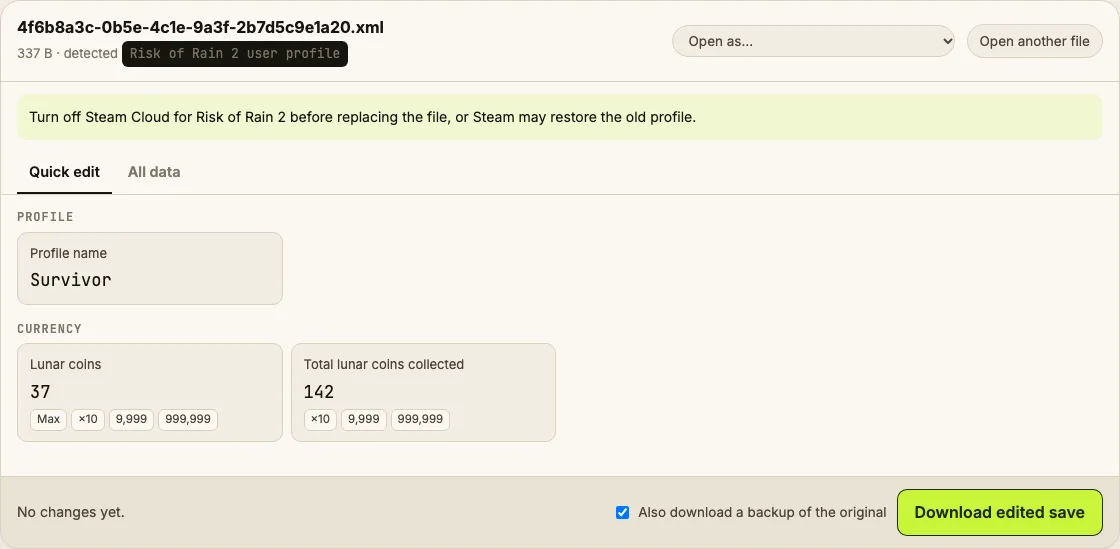
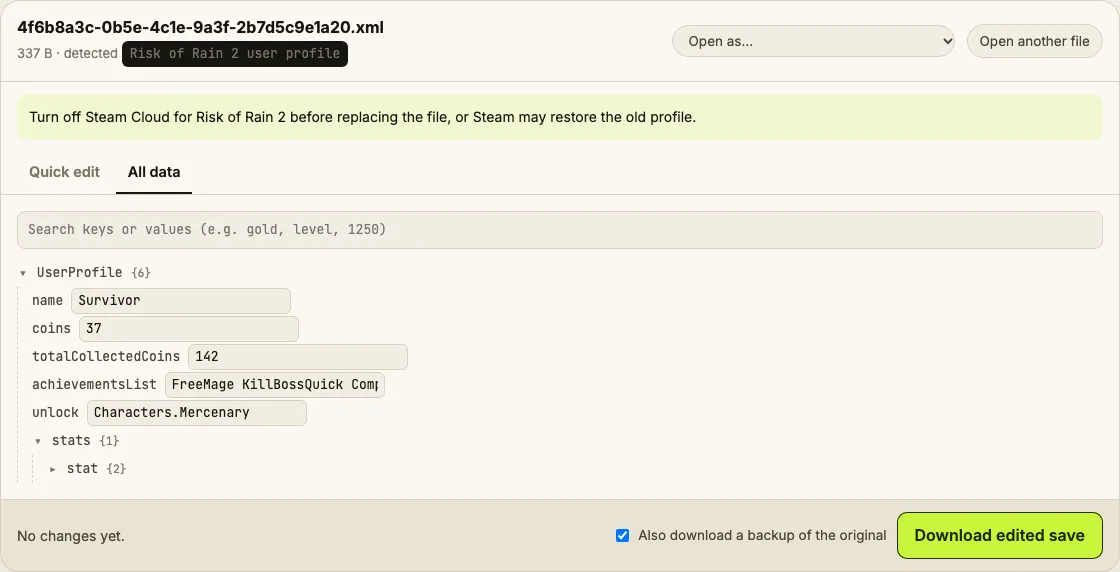
Edit your Risk of Rain 2 user profile in the browser: lunar coins, profile name, unlocks and stats.
⚠ Only edit saves of games you play offline or single-player. Editing saves of online games with anti-cheat or a shared economy can get your account banned.
How to verify it never uploads: open DevTools → Network, load your save and download the edited copy — no request carries your file (the only outgoing call is an anonymous page-view count). You can also load the page, turn off Wi-Fi and edit offline.
What you can edit in Risk of Rain 2
- Lunar coins
- Total lunar coins collected
- Profile name
- Unlocks, achievements and stats in All data
Where is the Risk of Rain 2 save file?
| Platform | Location |
|---|---|
| Windows (Steam) | C:\Program Files (x86)\Steam\userdata\<id>\632360\remote\UserProfiles\ |
| Linux / Steam Deck | ~/.local/share/Steam/userdata/<id>/632360/remote/UserProfiles/ |
| Epic Games Store | Not coveredEpic keeps the profile in its cloud storage. |
Tip: on Windows, paste a path that starts with % into the File Explorer address bar.
How to edit your Risk of Rain 2 save
- In Steam, right-click Risk of Rain 2 → Properties → General and turn off Steam Cloud.
- Close the game. Open the UserProfiles folder and back up the .xml file.
- Drop the .xml into the editor and change lunar coins.
- Download edited save and replace the file with the same name.
- Start the game; turn Steam Cloud back on when you're done.
Tips
- Unlocking everything at once removes the fun of the unlock order — consider only adding lunar coins and using the Bazaar.
Limits
- Achievements unlock through Steam; adding them to the profile shows them in-game but doesn't award Steam achievements.
Risk of Rain 2 save editing FAQ
Where's the <id> folder?
It's your Steam account ID as a number. If you have one Steam account there's only one folder inside userdata.
My lunar coins reset when I started the game.
Steam Cloud restored its copy. Turn off Steam Cloud for the game, replace the file again, then launch.
Can I get banned?
Risk of Rain 2 has no anti-cheat for profile files. In public multiplayer lobbies, keep it fair for others.
Does it work with mods?
Yes. Modded profiles are the same XML; mod data is stored elsewhere.
Byte-preserving XML editing tested on generated profiles. Save Editor is an independent tool and isn't affiliated with the makers of Risk of Rain 2.
Other save editors