Save Editor / Games / Corruption of Champions II
CoC2 Save Editor (Corruption of Champions 2)
Edit Electrum (gold), level, XP and core stats in a Corruption of Champions 2 .coc2 save.
Modding instead of editing? How to install mods with r2modman or Gale
Project sources: End5's CoC2 save editor source
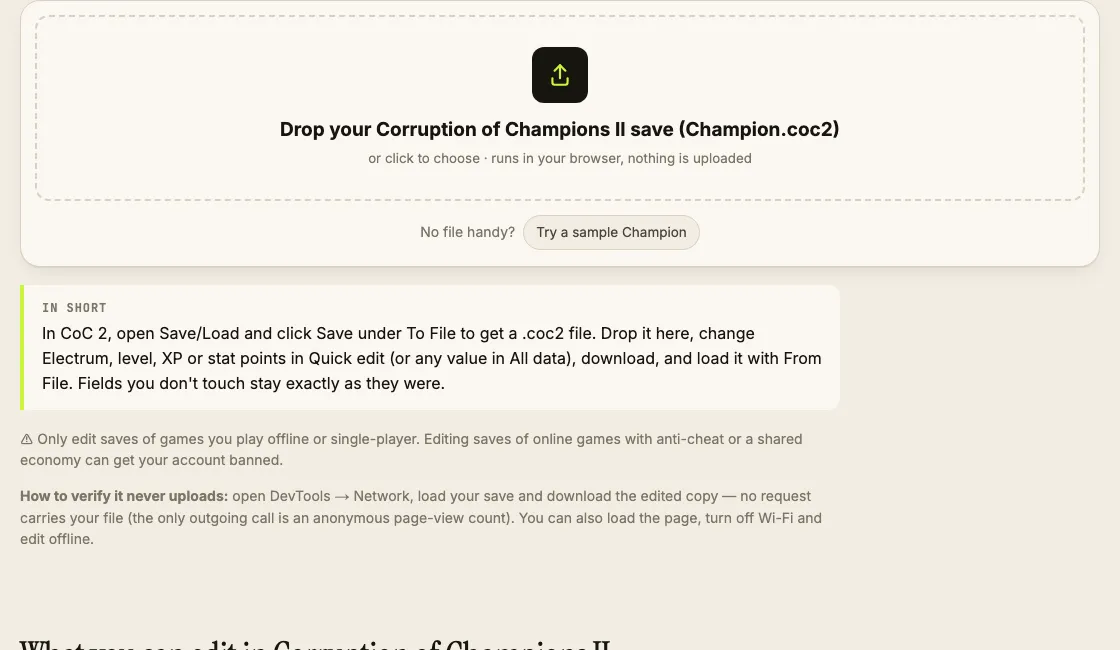
⚠ Only edit saves of games you play offline or single-player. Editing saves of online games with anti-cheat or a shared economy can get your account banned.
How to verify it never uploads: open DevTools → Network, load your save and download the edited copy — no request carries your file (the only outgoing call is an anonymous page-view count). You can also load the page, turn off Wi-Fi and edit offline.
What you can edit in Corruption of Champions II
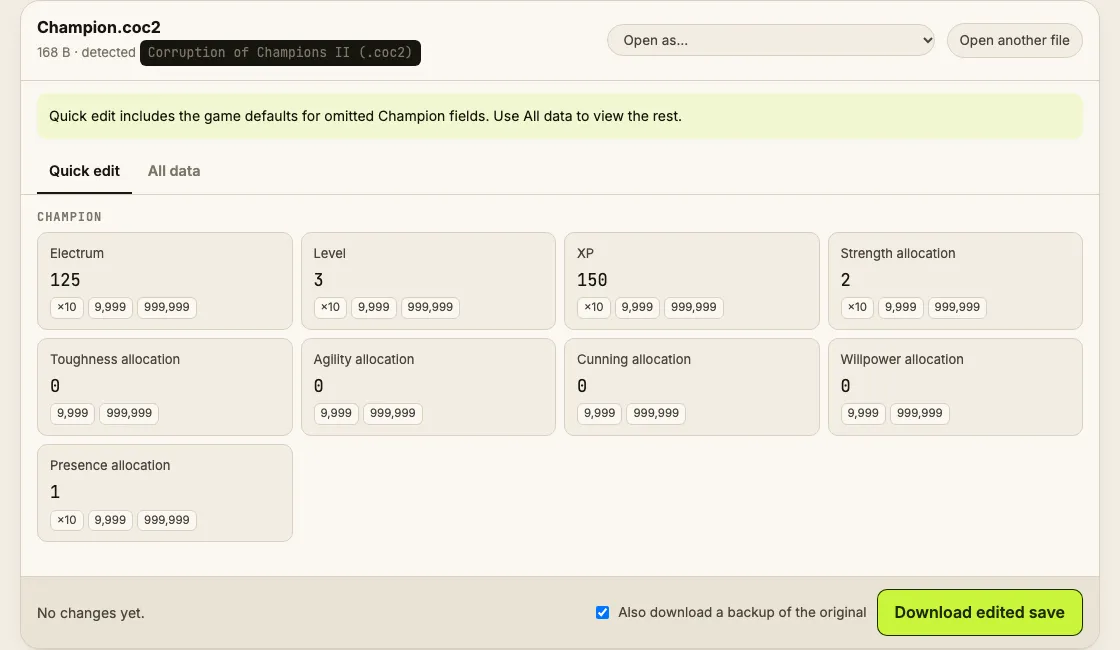
- Electrum, level and XP
- Strength, Toughness, Agility, Cunning, Willpower and Presence allocations
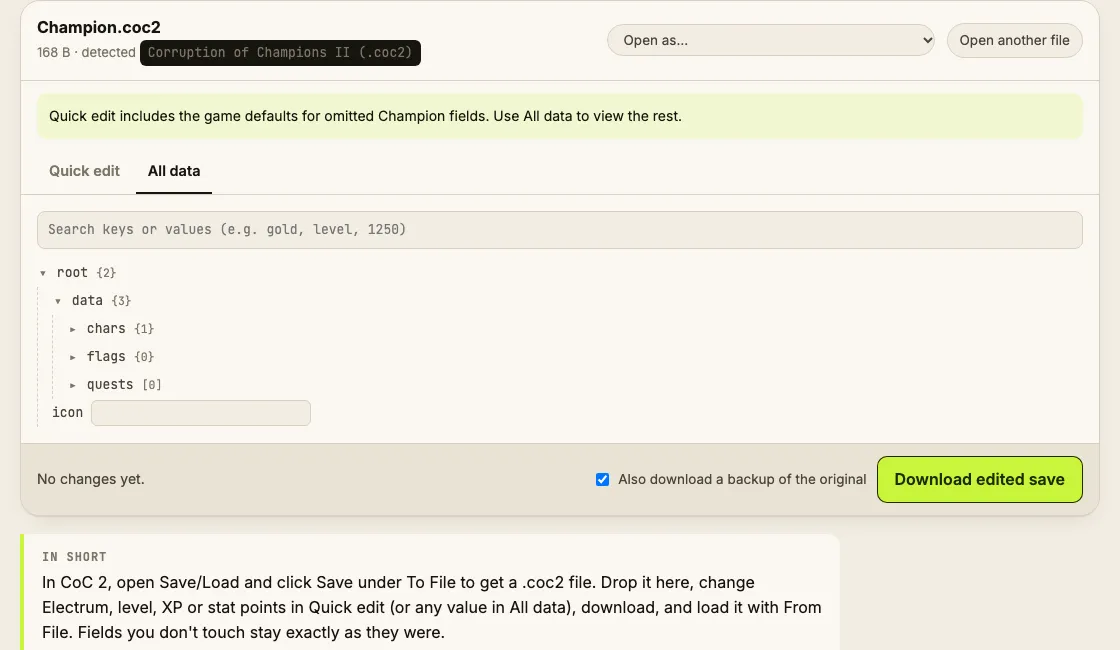
- Existing values in the full save tree
Where is the Corruption of Champions II save file?
| Platform | Location |
|---|---|
| Web browser | Save/Load → To File → SaveFind the .coc2 export in your browser's downloads. |
| Steam / desktop | Save/Load → To File → SaveChoose a location you can find again. |
How to edit your Corruption of Champions II save
- Export a .coc2 file and keep a backup.
- Open the file here.
- Edit Champion fields in Quick edit or inspect the All data tree.
- Download the edited .coc2 file and import it through the game's From File option.
Tips
- Start with small changes, then check the saved character in-game.
Limits
- Quick edit changes Champion currency, progression and stat allocations.
- Changing quest flags can affect progression. The game may show a warning for edited saves.
Editors that work the same way
- Azeroth Survivors Save Editor: edit progression in another game with a file export.
- NFSU2 Save Editor: edit money and career progress in a PC save.
- Trials in Tainted Space Save Editor: open HTML5 and Flash saves from another Fenoxo game.
- SugarCube Save Editor (Twine .save): inspect the data tree in a different browser game format.
Corruption of Champions II save editing FAQ
What file do I open?
Use the .coc2 file from Save/Load → To File.
Can I change my gold?
CoC2 calls its currency Electrum. You can change it in Quick edit.
Can I edit a new character?
Yes. Quick edit shows game defaults for values that the export omits.
Do Flash saves work?
This page reads Corruption of Champions II JSON exports. The first game's Flash files use another format.
How do I undo changes?
Import your untouched original using the game's From File option.
Is this the same as End5's CoC2 Save Editor?
No. End5's editor is the long-running community tool and edits more areas, such as perks, items and quests in their own screens. This page is faster for the common edits, shows default values for brand-new characters, keeps a backup of the original and lets you search every value. Both run in the browser.
Synthetic fixtures cover both plain and wrapped JSON exports. In-game import is pending. Save Editor is an independent tool and isn't affiliated with the makers of Corruption of Champions II.
Other save editors