Save Editor / Games / Cyberpunk 2077
Cyberpunk 2077 Save Editor
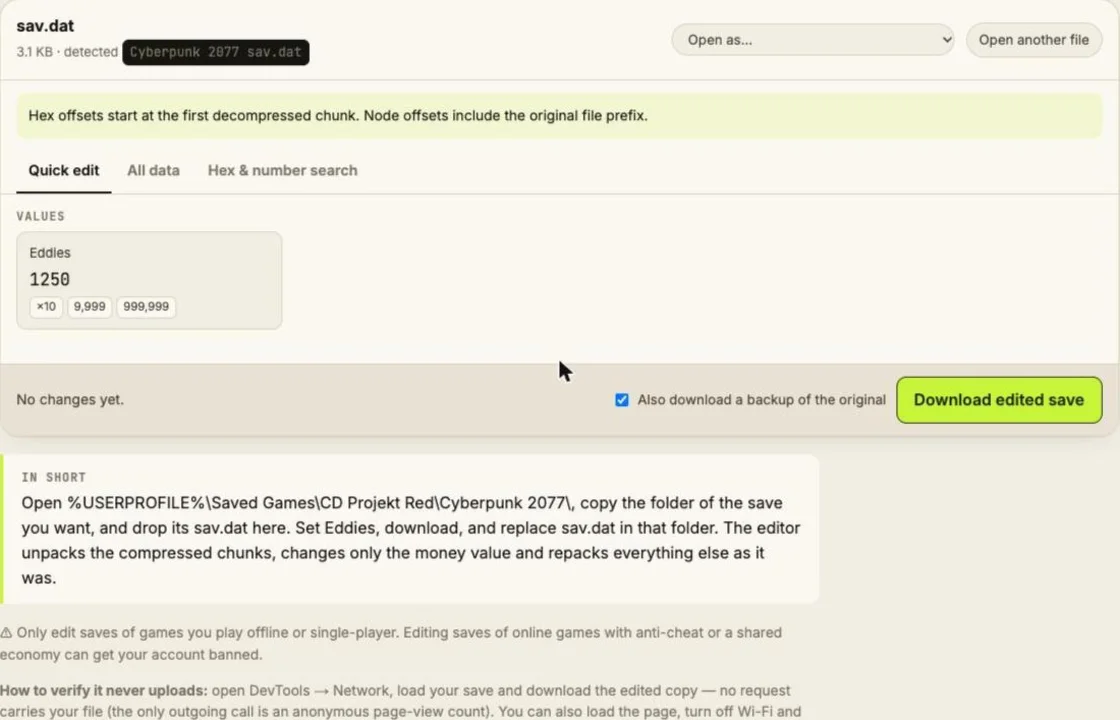
Set Eddies in Cyberpunk 2077's sav.dat right in your browser.

Modding instead of editing? How to install mods with r2modman or Gale
Project sources: RED modding wiki: save file format
⚠ Only edit saves of games you play offline or single-player. Editing saves of online games with anti-cheat or a shared economy can get your account banned.
How to verify it never uploads: open DevTools → Network, load your save and download the edited copy — no request carries your file (the only outgoing call is an anonymous page-view count). You can also load the page, turn off Wi-Fi and edit offline.
What you can edit in Cyberpunk 2077
- Eddies (the money item in V's inventory)
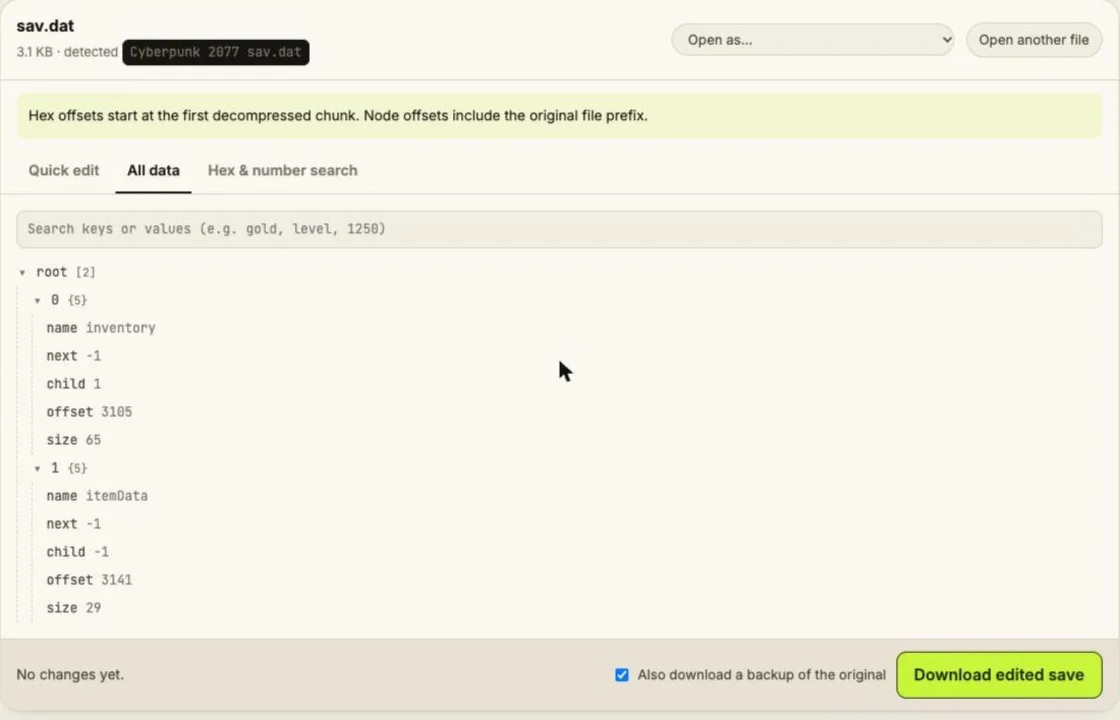
- Every save node listed with its name, offset and size
- Byte-level edits of the decompressed data in the hex view, recompressed on download
Where is the Cyberpunk 2077 save file?
| Platform | Location |
|---|---|
| Windows (Steam, GOG, Epic) | %USERPROFILE%\Saved Games\CD Projekt Red\Cyberpunk 2077\<SaveName>\sav.datEach save is a folder (ManualSave-12, AutoSave-3, QuickSave-0…) with sav.dat, metadata and a screenshot. |
| Steam Deck / Linux (Proton) | ~/.local/share/Steam/steamapps/compatdata/1091500/pfx/drive_c/users/steamuser/Saved Games/CD Projekt Red/Cyberpunk 2077/ |
| PS5 / Xbox | Console storage onlyConsole saves are encrypted by the platform. Only PC saves can be edited. |
Tip: on Windows, paste a path that starts with % into the File Explorer address bar.
How to edit your Cyberpunk 2077 save
- Make a fresh manual save in game and quit to the desktop.
- Open %USERPROFILE%\Saved Games\CD Projekt Red\Cyberpunk 2077\ and copy the newest ManualSave folder as a backup.
- Drop that folder's sav.dat into the editor above.
- Set Eddies in Quick edit.
- Click Download edited save and replace sav.dat inside the same save folder.
- Load that save in game and check your money in the inventory.
Tips
- Edit a manual save, not an autosave. Autosaves rotate and can overwrite your edited file before you load it.
- Keep the save folder's other files (metadata, screenshot). The game lists the save from metadata and loads sav.dat.
- If the save won't load, put your backup back. The editor never touches the original on disk.
Limits
- Attributes, perks, Street Cred and items other than money aren't in Quick edit yet. They live in deeper nodes whose layout changed in 2.x; we only ship edits we've verified.
- Console saves and cloud-only saves aren't supported.
Editors that work the same way
- Borderlands 4 Save Editor: cash and Eridium for another looter shooter with a protected save.
- NFSU2 Save Editor: money for a neon street-racing game, with checksums rebuilt on download.
- Fallout Shelter Save Editor (Steam, PC & Android): caps and resources in an encrypted save, decoded in the browser the same way.
- RoadCraft Save Editor: money in a block-compressed save that's unpacked and repacked like sav.dat.
- No Man's Sky Save Editor: units and nanites in another LZ4-compressed save.
Cyberpunk 2077 save editing FAQ
Where are Cyberpunk 2077 save files on PC?
%USERPROFILE%\Saved Games\CD Projekt Red\Cyberpunk 2077\. Each save is a folder; the editable file inside is sav.dat.
How do I get money in Cyberpunk 2077 without mods?
Drop the save's sav.dat here, set Eddies, download, replace the file and load that save. No mods or Cyber Engine Tweaks needed.
Is there a Cyberpunk 2077 save editor that works with 2.x?
Most desktop editors stopped at 1.x. This one reads the current CSAV chunk layout and only edits the money value, which is stored the same way in 2.x saves.
Why is sav.dat unreadable in a hex editor?
The data is split into LZ4-compressed chunks after a CSAV header. You have to decompress it to see anything, then recompress it with the right chunk table, which this editor does.
Will this disable achievements?
No. The game doesn't flag edited saves, and achievements trigger on in-game actions.
Is my save uploaded?
No. Decompression and editing run entirely in your browser.
Tested on a synthetic sav.dat built to the CSAV layout documented by the RED modding wiki and the open-source CyberpunkSaveEditor (header, CZLF chunk table, LZ4 chunks, node table): an unedited round trip reopens identically, and an Eddies edit reopens with the new amount after recompression. Save Editor is an independent tool and isn't affiliated with the makers of Cyberpunk 2077.
Other save editors