Save Editor / Games / Monster Hunter Generations Ultimate
MHGU Save Editor
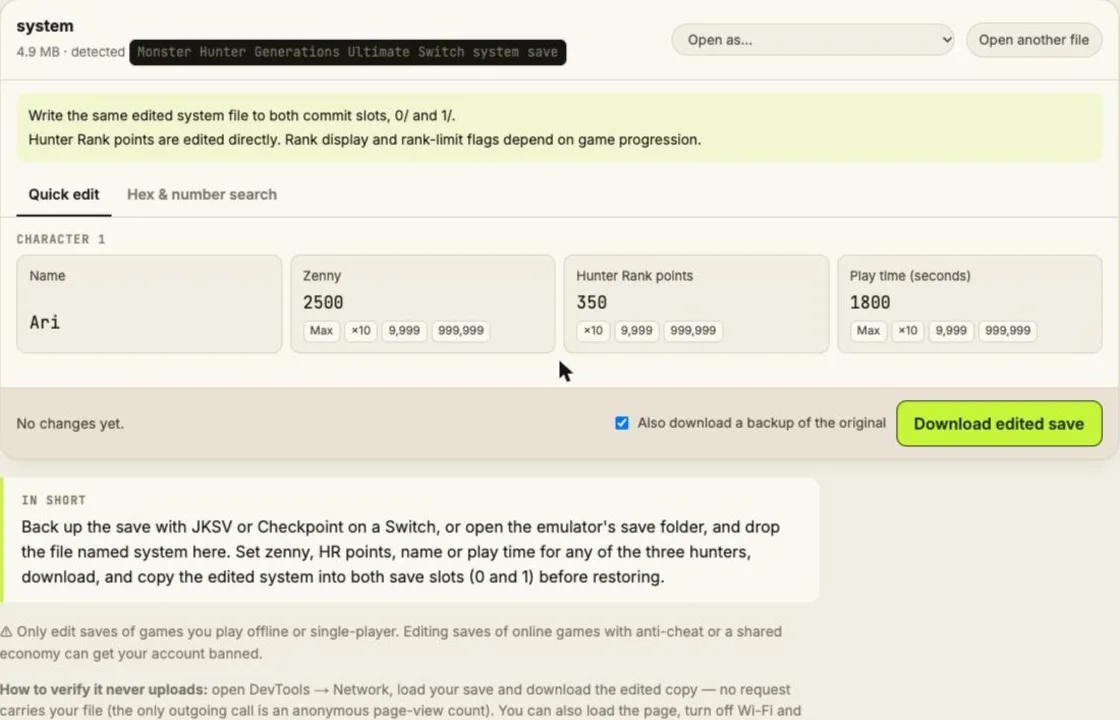
Edit MHGU's Switch save in your browser: zenny, HR points, name and play time per hunter.
Modding instead of editing? How to install mods with r2modman or Gale
Project sources: Scrimas/MHGU-Save-editor (desktop, open source)
⚠ Only edit saves of games you play offline or single-player. Editing saves of online games with anti-cheat or a shared economy can get your account banned.
How to verify it never uploads: open DevTools → Network, load your save and download the edited copy — no request carries your file (the only outgoing call is an anonymous page-view count). You can also load the page, turn off Wi-Fi and edit offline.
What you can edit in Monster Hunter Generations Ultimate
- Zenny for each hunter slot
- Hunter Rank points
- Hunter name
- Play time
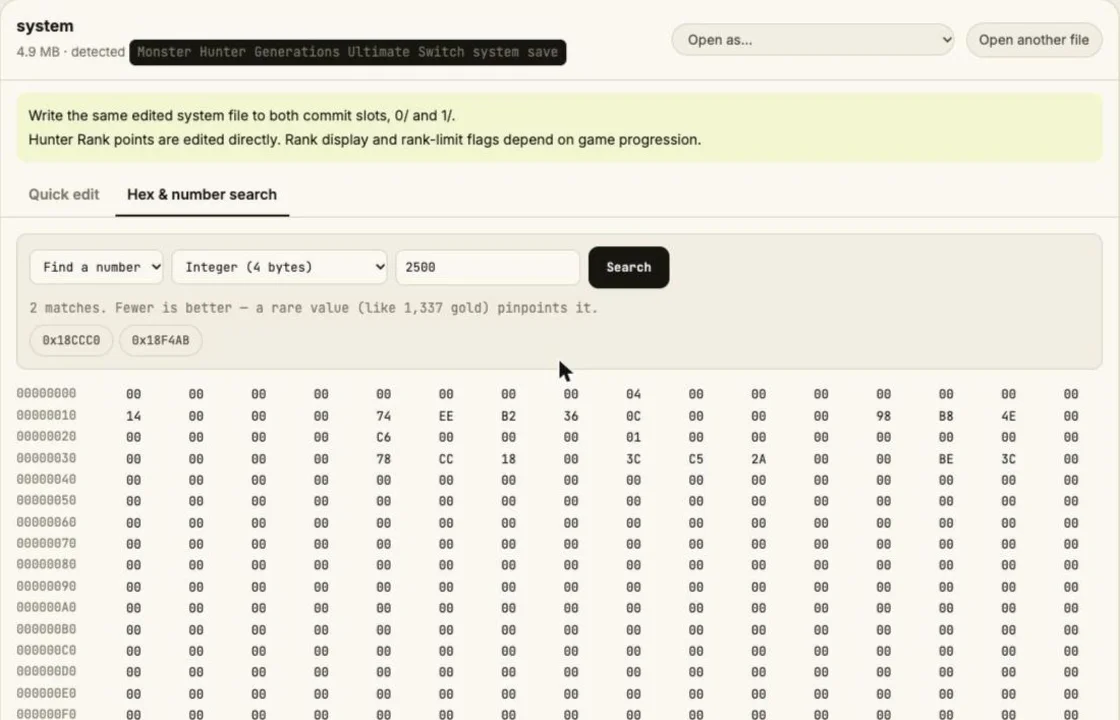
- Any byte in the hex view (the save has no checksum to fix)
Where is the Monster Hunter Generations Ultimate save file?
| Platform | Location |
|---|---|
| Ryujinx | %APPDATA%\Ryujinx\bis\user\save\<save id>\0\systemRight-click MHGU in Ryujinx → Open User Save Directory. Copy the edited file into both 0 and 1. |
| yuzu and forks (suyu, Eden, Citron) | …\nand\user\save\0000000000000000\<user id>\0100770008DD8000\systemRight-click the game → Open Save Data Location. |
| Nintendo Switch (homebrew) | JKSV or Checkpoint backup → systemBack up, edit the system file on your PC, then restore it with the same tool. |
Tip: on Windows, paste a path that starts with % into the File Explorer address bar.
How to edit your Monster Hunter Generations Ultimate save
- Close MHGU (or the emulator) and back up the save folder.
- Drop the file called system into the editor above.
- Pick the hunter slot and set zenny, HR points, name or play time.
- Click Download edited save.
- Copy the edited system into both commit folders (0 and 1) so the game doesn't fall back to the old copy.
- Start the game, or restore the backup on your Switch with JKSV/Checkpoint.
Tips
- Raising HR points only fills the bar. The next HR unlock still needs its urgent quest, so you won't skip story gates.
- Zenny caps at 9,999,999 in game. Higher values are clamped when you load.
- Edit on PC with an emulator first to check the result, then move the save to your Switch.
Limits
- Items, equipment and palico edits aren't in Quick edit. Use the hex view only if you know the offsets.
- Monster Hunter Generations (3DS) and MHXX saves use different layouts and aren't supported.
Editors that work the same way
- Pokémon Save Editor (Gen 3): money and items for another Nintendo game, edited from an emulator or homebrew backup.
- Elden Ring Save Editor: runes and stats for another hunt-and-upgrade action game.
- Deep Rock Galactic Save Editor: credits and materials for a co-op game built around repeated hunts.
- Slay the Spire 2 Save Editor & Cheats: gold and HP for a game where every run is a grind.
- Hollow Knight Save Editor: geo and upgrades for a boss-rush favourite.
Monster Hunter Generations Ultimate save editing FAQ
Where is the MHGU save file?
It's a file called system in the game's save data (title ID 0100770008DD8000). On Ryujinx, right-click the game → Open User Save Directory; on Switch, back it up with JKSV or Checkpoint.
How do I get more zenny in MHGU?
Drop your system file here, raise Zenny for your hunter, download it and copy it into both save slots. In game, zenny tops out at 9,999,999.
Why did my edit not show up?
MHGU keeps two commit copies (0 and 1). If you replace only one, the game can load the other. Copy the edited file into both.
Does the MHGU save have a checksum?
No. The system file is plain data, so edits load as long as the values are in range.
Can I edit a JKSV ZIP backup?
Unzip it first, edit system, then zip the folder again with the same structure before restoring.
Is my save uploaded?
No. The 5 MB file is read and rewritten in your browser.
Tested on a synthetic 5.16 MB system save laid out per the open-source Scrimas/MHGU-Save-editor docs: an unedited export is byte-identical, and zenny, HR points, name and play time edits reopen with the new values in the right slot. Save Editor is an independent tool and isn't affiliated with the makers of Monster Hunter Generations Ultimate.
Other save editors