Save Editor / Games / RoadCraft
RoadCraft Save Editor
Edit RoadCraft's CompleteSave in your browser: money, XP, fuel and site resources.
Modding instead of editing? How to install mods with r2modman or Gale
Project sources: RifaiV/roadcraft-save-editor (desktop, open source)
⚠ Only edit saves of games you play offline or single-player. Editing saves of online games with anti-cheat or a shared economy can get your account banned.
How to verify it never uploads: open DevTools → Network, load your save and download the edited copy — no request carries your file (the only outgoing call is an anonymous page-view count). You can also load the page, turn off Wi-Fi and edit offline.
What you can edit in RoadCraft
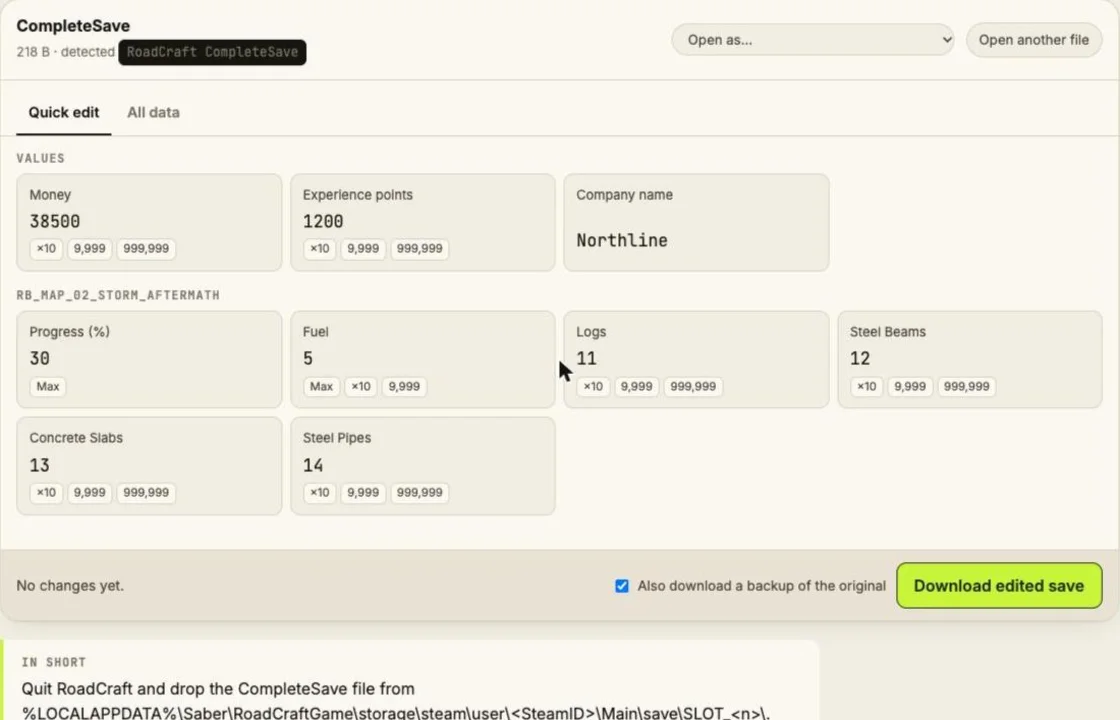
- Money and XP
- Company name
- Fuel and the four construction-site resources
- Map progress values
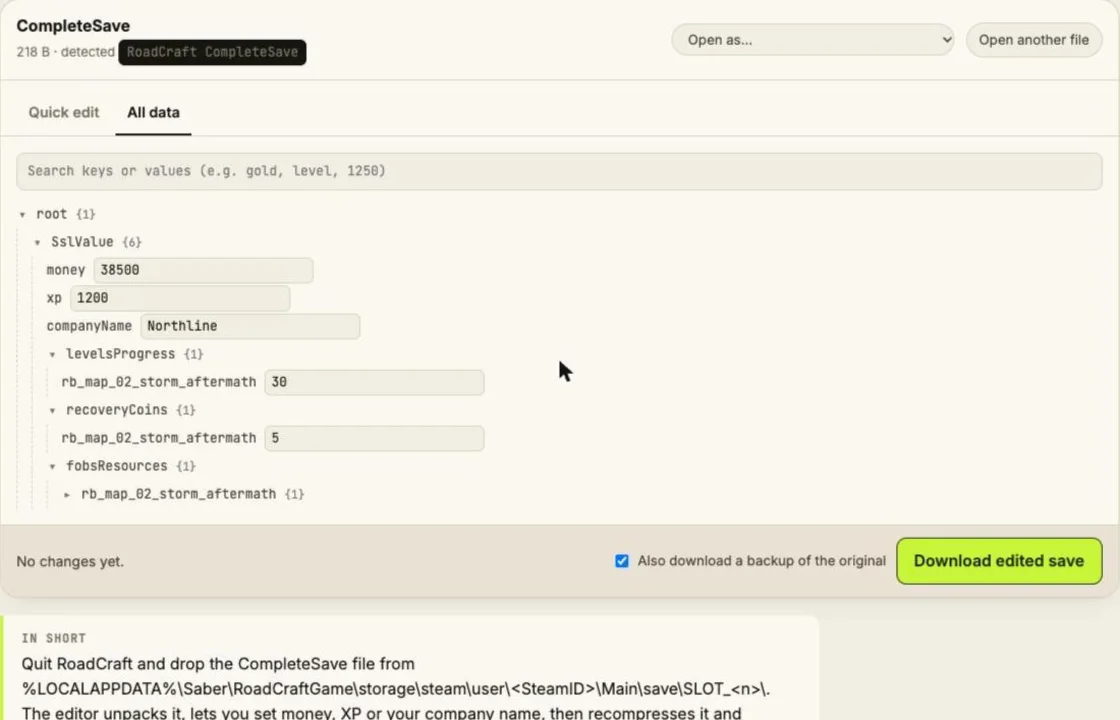
- Every value in the decompressed save in All data
Where is the RoadCraft save file?
| Platform | Location |
|---|---|
| Windows (Steam) | %LOCALAPPDATA%\Saber\RoadCraftGame\storage\steam\user\<SteamID>\Main\save\SLOT_<n>\CompleteSaveEach save slot has its own SLOT_ folder. Edit the one you play on. |
| Windows (Epic) | %LOCALAPPDATA%\Saber\RoadCraftGame\storage\epic\user\<id>\Main\save\SLOT_<n>\Same file, under the epic folder instead of steam. |
| PS5 / Xbox Series | Console storage onlyConsole saves are encrypted by the platform and can't be edited in a browser. |
Tip: on Windows, paste a path that starts with % into the File Explorer address bar.
How to edit your RoadCraft save
- Quit RoadCraft to the desktop.
- Open the SLOT_ folder for your save and copy it somewhere safe.
- Drop CompleteSave into the editor above.
- Set money, XP or company name in Quick edit.
- Click Download edited save. The editor recompresses the data and recalculates the MD5.
- Replace CompleteSave in the same SLOT_ folder and start the game.
Tips
- Sold a vehicle and didn't get the money? Add it back here instead of replaying the contract.
- If Steam Cloud restores the old slot, turn it off for RoadCraft while you replace the file.
- Large money values are fine, but keep them under 2,147,483,647 so the counter doesn't wrap negative.
Limits
- Unlocking specific vehicles or maps isn't in Quick edit yet. Those lists are in All data; edit them only if you know the internal IDs.
- PC saves only. Console saves are protected by the platform.
Editors that work the same way
- NFSU2 Save Editor: money and career stage for a vehicle game, with its checksums fixed the same way.
- Schedule I Save Editor: cash and business progress for another management sim.
- Deep Rock Galactic Save Editor: credits and resources for a co-op game built on heavy machinery.
- Terraria Save Editor: money and inventory for a building game with a long grind.
- Cyberpunk 2077 Save Editor: Eddies in a compressed save that's unpacked and repacked like CompleteSave.
RoadCraft save editing FAQ
Where is the RoadCraft save file?
%LOCALAPPDATA%\Saber\RoadCraftGame\storage\steam\user\<SteamID>\Main\save\SLOT_<n>\CompleteSave on Steam. Epic uses the same path with epic instead of steam.
Why can't I edit CompleteSave in a text editor?
The data is split into deflate-compressed blocks and protected by an MD5 hash. A text editor sees binary, and any change breaks the hash. This editor handles both.
How do I get more money in RoadCraft?
Drop CompleteSave here, raise Money in Quick edit, download and replace the file while the game is closed.
Will editing break my achievements?
Changing money or XP doesn't block achievements in our tests; achievements trigger on in-game actions, not on save values.
Does it work for co-op saves?
Edit the host's slot. Joining players use the host's world, so their own files don't hold the shared money.
Is my save uploaded?
No. Decompression, editing and the MD5 all run in your browser.
Tested on a synthetic CompleteSave built to the block layout used by the open-source RifaiV/roadcraft-save-editor (53-byte header, size-prefixed deflate blocks, MD5): an unedited round trip reopens identically, and money, XP and name edits reopen with a valid hash. Save Editor is an independent tool and isn't affiliated with the makers of RoadCraft.
Other save editors