Save Editor / Games / Undertale
Undertale Save Editor
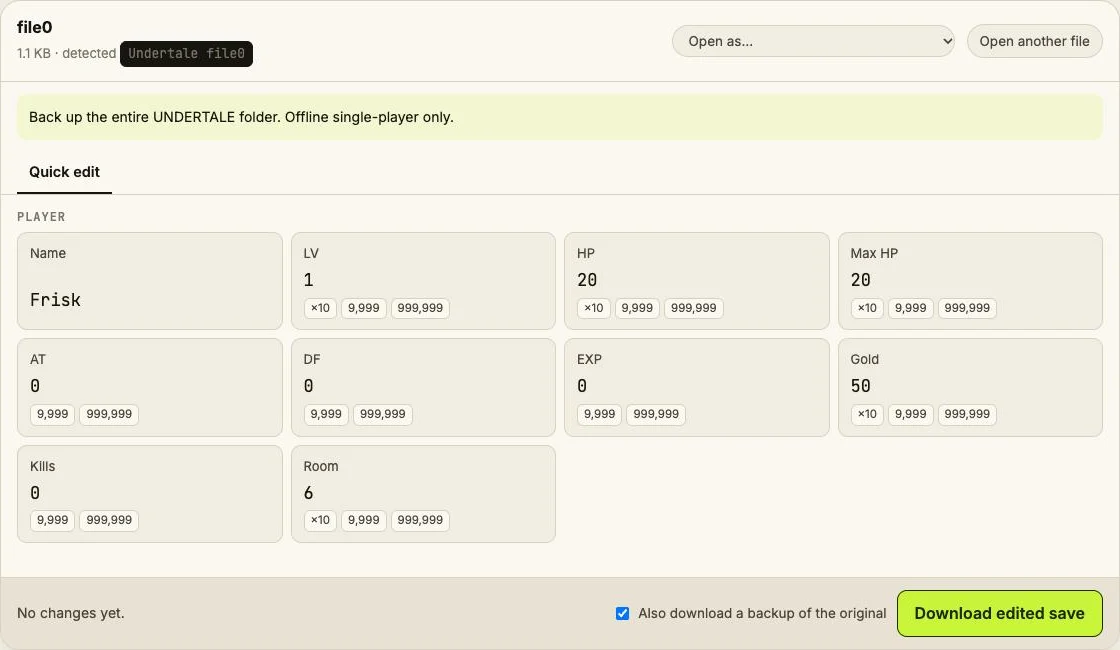
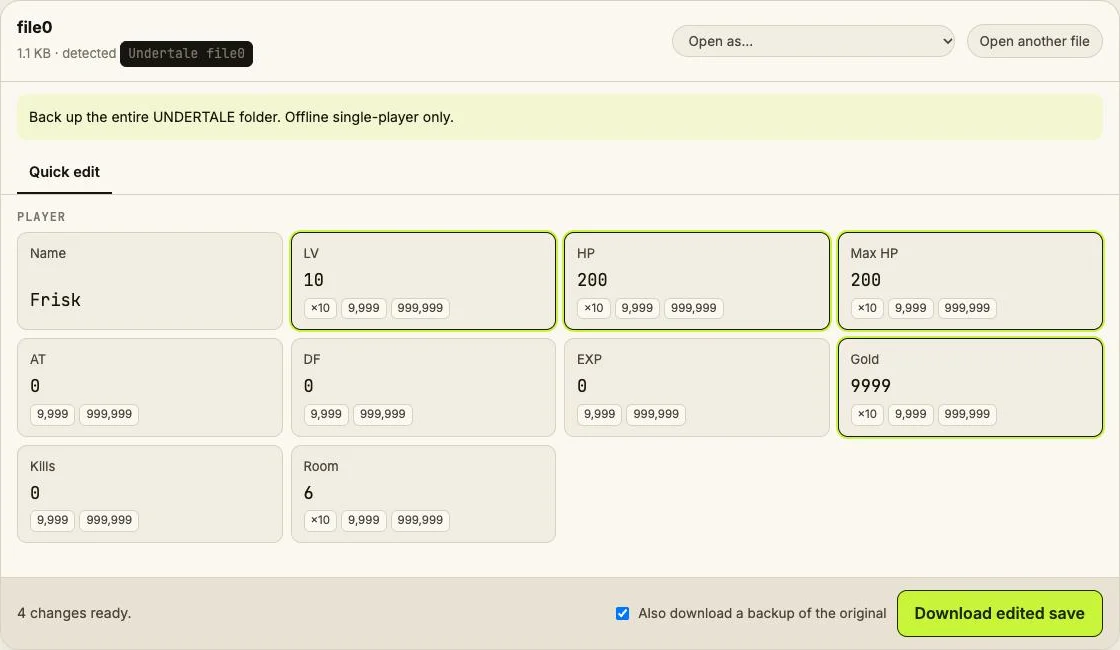
Edit Undertale's file0 in your browser: name, LV, HP, AT, DF, EXP, gold, kills and room.
⚠ Only edit saves of games you play offline or single-player. Editing saves of online games with anti-cheat or a shared economy can get your account banned.
How to verify it never uploads: open DevTools → Network, load your save and download the edited copy — no request carries your file (the only outgoing call is an anonymous page-view count). You can also load the page, turn off Wi-Fi and edit offline.
What you can edit in Undertale
- Name
- LV, HP, max HP
- AT and DF (base values)
- EXP, gold and kills
- Room ID
Where is the Undertale save file?
| Platform | Location |
|---|---|
| Windows | %LOCALAPPDATA%\UNDERTALE\Open file0, without a filename extension. |
| macOS | ~/Library/Application Support/com.tobyfox.undertale/Back up the whole folder. |
| Steam Deck (Proton) | ~/.local/share/Steam/steamapps/compatdata/391540/pfx/drive_c/users/steamuser/AppData/Local/UNDERTALE/A different Steam library changes the prefix root. |
Tip: on Windows, paste a path that starts with % into the File Explorer address bar.
How to edit your Undertale save
- Quit the game fully and pause Steam Cloud sync before changing files.
- Copy the entire save folder to a dated backup outside the game folder.
- Open the save below. Check that the displayed values match your progress.
- Change one value, download and replace the original using the exact original filename.
- Launch offline and check your progress. If anything is wrong, close the game and restore the complete backup.
- Resolve any cloud conflict deliberately using the tested local copy before resuming sync.
Limits
- Vanilla desktop file0 only; no console or mod layout support.
- LV, EXP, equipment and story flags can disagree; editing kills alone does not establish a route. Room IDs can lead to invalid story states.
- Single-player / offline only. Game names identify compatibility; this independent tool is not affiliated with the game developers.
Undertale save editing FAQ
Can I get banned?
No safety guarantee is possible. Use edited files only in offline single-player; never take modified saves into online or anti-cheat sessions.
How do I back up and restore?
Close the game, copy the entire save folder elsewhere, and restore that complete copy with the game closed if needed.
Why did my changes disappear?
Cloud sync can restore an older copy. Pause Steam Cloud first and resolve conflicts using the local copy you have checked offline.
What about undertale.ini, file9 and file8?
undertale.ini stores persistent metadata; file9 and file8 are game-managed auxiliary saves/checkpoints. This parser edits file0 only; retain all of them in your backup.
Does changing kills change my ending?
No. Route outcomes also depend on regional counters and story flags. This editor does not synchronize those flags.
Public FloweysTimeMachine field map; synthetic file0 tests only. Not loaded in-game. Save Editor is an independent tool and isn't affiliated with the makers of Undertale.
Other save editors