Save Editor / Games / Palworld
Palworld Save Editor
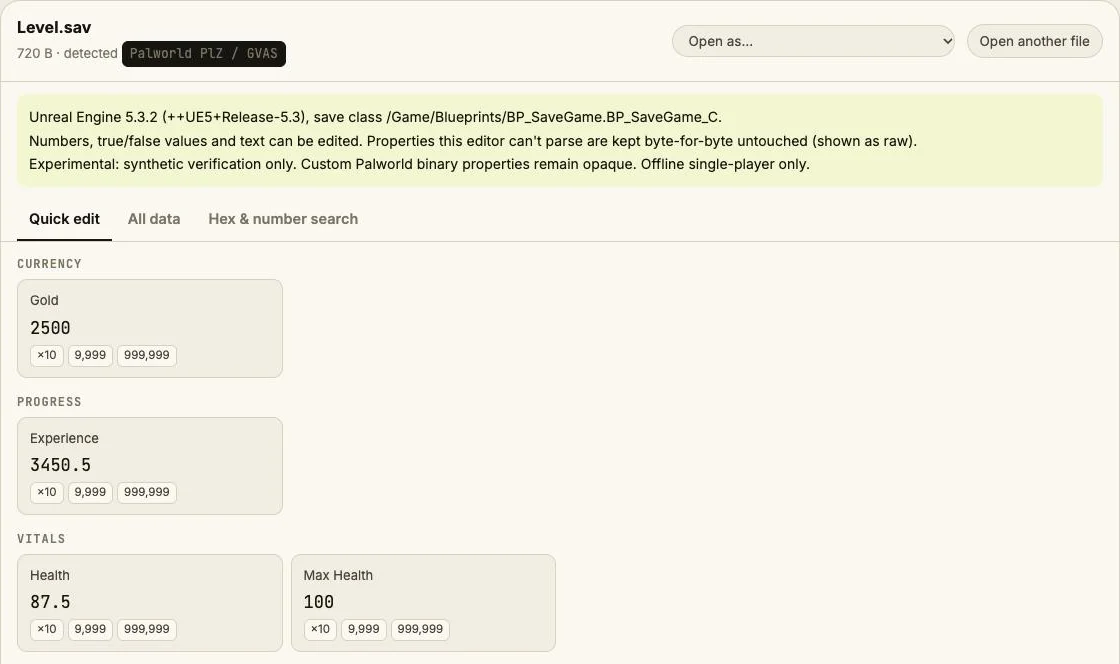
Open Palworld Level.sav and player .sav files in your browser.
⚠ Only edit saves of games you play offline or single-player. Editing saves of online games with anti-cheat or a shared economy can get your account banned.
How to verify it never uploads: open DevTools → Network, load your save and download the edited copy — no request carries your file (the only outgoing call is an anonymous page-view count). You can also load the page, turn off Wi-Fi and edit offline.
What you can edit in Palworld
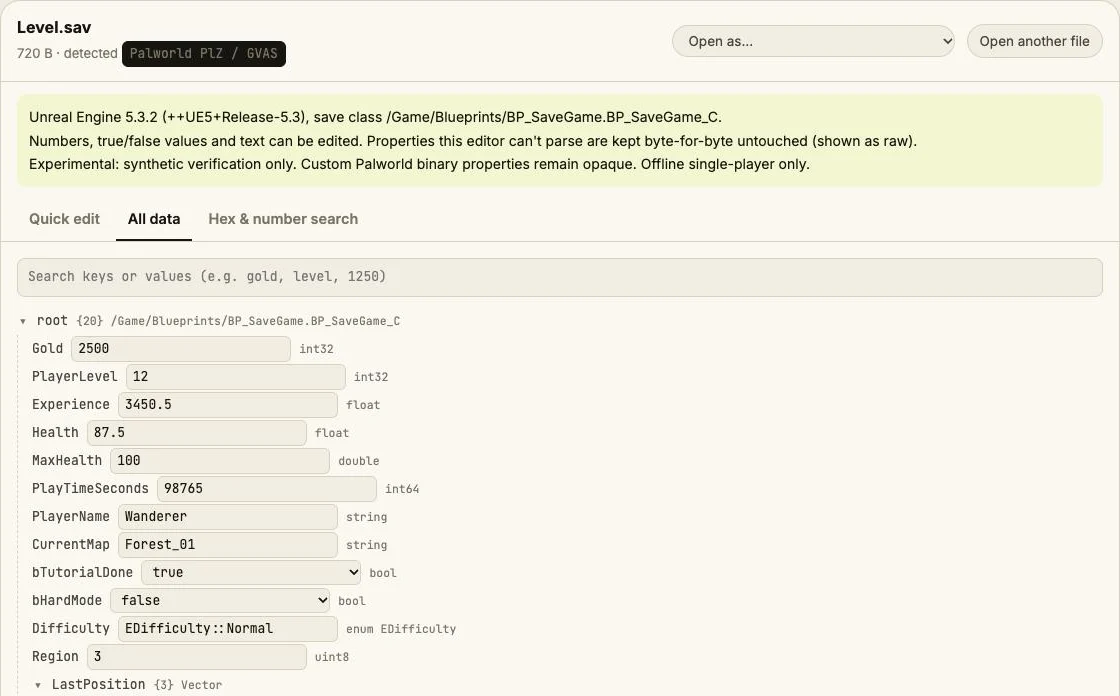
- Recognized GVAS numeric, boolean and text properties
- Existing properties in All data; opaque custom data preserved
Where is the Palworld save file?
| Platform | Location |
|---|---|
| Windows (Steam) | %LOCALAPPDATA%\Pal\Saved\SaveGames\<SteamID>\<world-ID>\Level.sav is world data; Players/*.sav holds player data. Back up the whole world. |
| Steam Deck (Proton) | ~/.local/share/Steam/steamapps/compatdata/1623730/pfx/drive_c/users/steamuser/AppData/Local/Pal/Saved/SaveGames/Steam library location may vary. |
| macOS | ~/Library/Containers/com.pocketpair.palworld.mac/Data/Library/Application Support/Epic/Saved/SaveGames/Mac App Store sandbox; storefront layouts may vary. |
Tip: on Windows, paste a path that starts with % into the File Explorer address bar.
How to edit your Palworld save
- Quit the game fully and pause Steam Cloud sync before changing files.
- Copy the entire save folder to a dated backup outside the game folder.
- Open the save below. Check that the displayed values match your progress.
- Change one value, download and replace the original using the exact original filename.
- Launch offline and check your progress. If anything is wrong, close the game and restore the complete backup.
- Resolve any cloud conflict deliberately using the tested local copy before resuming sync.
Limits
- Synthetic wrapped GVAS verification only, not a real Palworld world or player save.
- PlM / Oodle and chunked CNK wrappers are unsupported. No character migration, guild repair, Pal creation or opaque binary editing.
- 128 MiB declared uncompressed size limit. Large worlds may exceed browser memory.
- Single-player / offline only. Game names identify compatibility; this independent tool is not affiliated with the game developers.
Palworld save editing FAQ
Can I get banned?
No safety guarantee is possible. Use edited files only in offline single-player; never take modified saves into online or anti-cheat sessions.
How do I back up and restore?
Close the game, copy the entire save folder elsewhere, and restore that complete copy with the game closed if needed.
Why did my changes disappear?
Cloud sync can restore an older copy. Pause Steam Cloud first and resolve conflicts using the local copy you have checked offline.
Can I open newer Oodle saves?
PlM headers are recognized but Oodle decompression is not implemented. The parser reports not supported yet.
Will every player stat appear?
No. Palworld uses custom binary structures that the generic GVAS reader keeps opaque; only properties it understands are editable.
Synthetic PlZ1/PlZ2 wrapping of GVAS only; no real Palworld file or in-game loading tested. Save Editor is an independent tool and isn't affiliated with the makers of Palworld.
Other save editors