Save Editor / Games / Clicker Heroes
Clicker Heroes Save Editor
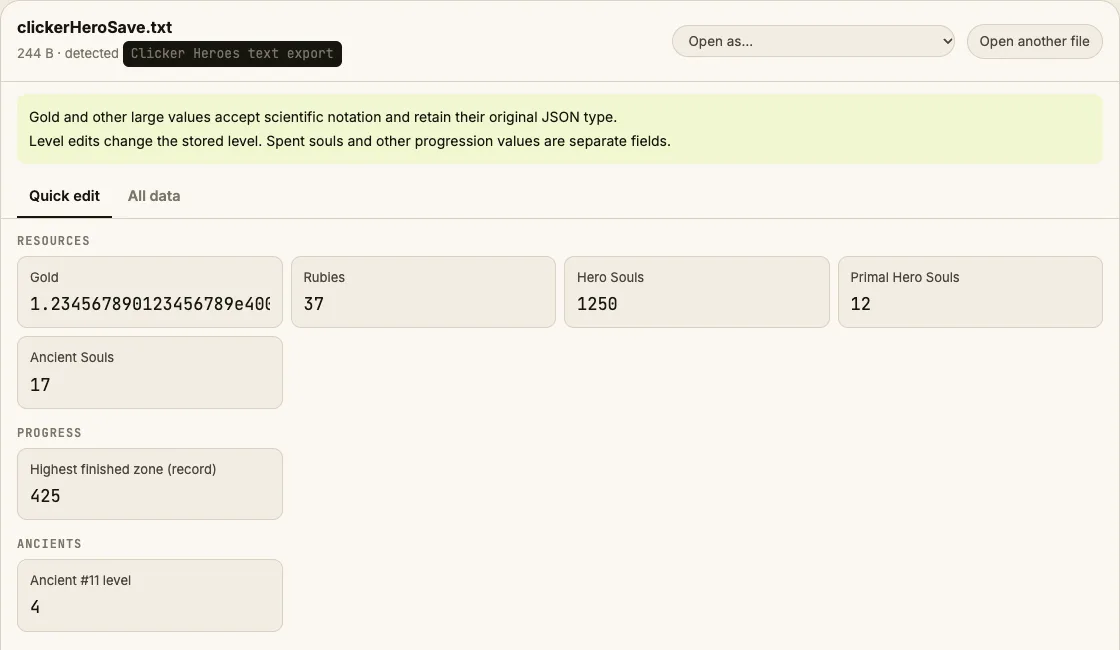
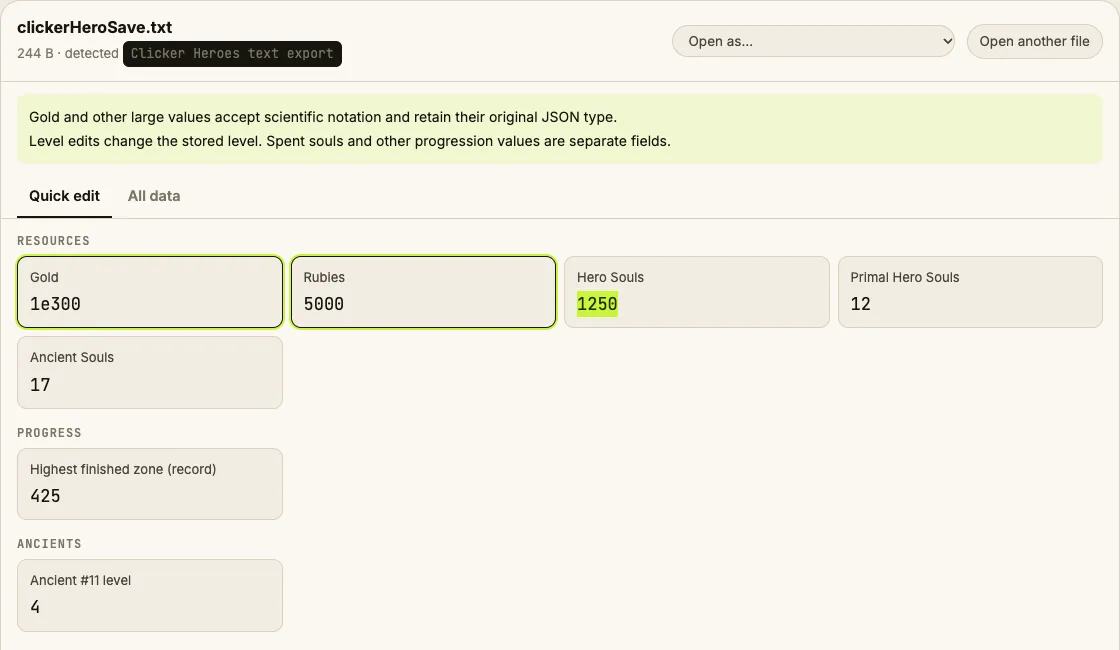
Edit your Clicker Heroes save in the browser: gold, rubies, hero souls, ancient souls and highest zone.
Modding instead of editing? How to install mods with r2modman or Gale
⚠ Only edit saves of games you play offline or single-player. Editing saves of online games with anti-cheat or a shared economy can get your account banned.
How to verify it never uploads: open DevTools → Network, load your save and download the edited copy — no request carries your file (the only outgoing call is an anonymous page-view count). You can also load the page, turn off Wi-Fi and edit offline.
What you can edit in Clicker Heroes
- Gold (any size; scientific notation like 1e300 accepted)
- Rubies
- Hero souls and ancient souls
- Highest zone reached
- Ancient and outsider levels where the save lists them
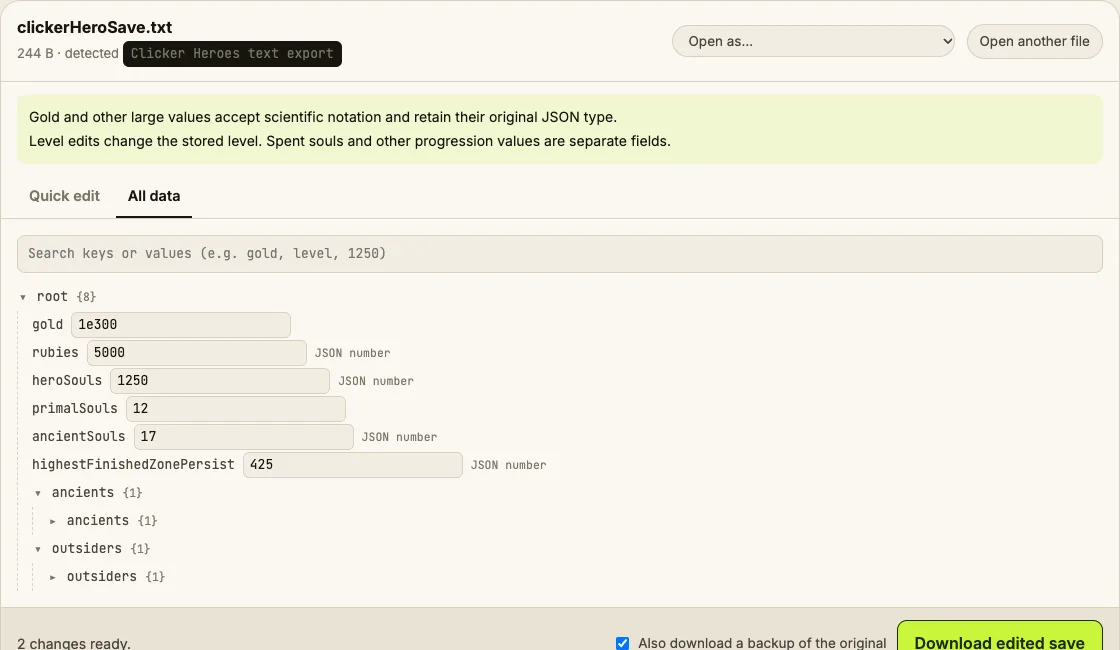
- Every raw key in All data
Where is the Clicker Heroes save file?
| Platform | Location |
|---|---|
| Steam (Windows / Mac) | Options → Save copies the text and writes clickerHeroSave.txtImport with Options → Import, then paste. |
| Browser version | Options → Save (copies to clipboard) |
| Mobile (iOS / Android) | Settings → Export (copies to clipboard)Paste it here from the phone's browser and import the result the same way. |
How to edit your Clicker Heroes save
- In the game, open Options and click Save. Copy the text (or find clickerHeroSave.txt).
- Paste it above with "Paste a save code", or drop the .txt.
- Change gold, rubies or souls in Quick edit.
- Click Download edited save, open the file and copy its text.
- In the game, Options → Import, paste and confirm.
Tips
- Keep your original save text somewhere safe before importing an edit.
- Huge hero soul counts make ascension rewards meaningless; a moderate boost keeps the game fun.
- Steam Cloud can bring back older progress. If your edit vanishes, import again after the cloud sync finishes.
Limits
- Clicker Heroes 2 uses a different save format and isn't supported here.
- Edits are for single-player progress. Clan raids are tied to your account; edited values don't change what the clan server records.
Editors that work the same way
- Cookie Clicker Save Editor: the other idle classic, edited from the same kind of exported save text.
- Balatro Save Editor: money and unlocks for a game built on big-number scaling.
- PokeClicker Save Editor (Poke Clicker Cheat Save): Pokédollars, Poké Balls and shiny Pokémon for the Pokémon-themed browser clicker.
- Mewgenics Save Editor: gold and food for a run-based game you'll replay for hours.
- Terraria Save Editor: coins and items for another long-grind favourite.
Clicker Heroes save editing FAQ
What is the long text the Save button copies?
Current versions write a fixed 32-character marker (7a990d405d2c6fb93aa8fbb0ec1a3b23) followed by Base64 of zlib-compressed JSON. Older versions interleave the Base64 with filler characters and add an MD5 hash. The editor reads both and writes back in the format you gave it.
Why does the game reject saves edited by hand?
Older saves carry an anti-cheat hash. Changing a number without recomputing it makes the import fail. The editor recomputes the hash for you.
Can I get unlimited rubies?
You can set any ruby count in the save. The game uses that number offline; purchases tied to your platform account aren't changed.
Does it work for the mobile version?
Yes. Export from Settings on the phone, paste the text here, edit, and import the new text the same way.
Is my save uploaded?
No. Decoding and re-encoding happen in your browser.
Round-trip tested on generated saves in both the current zlib format and the older hashed format: edited values reopen correctly, unedited exports are identical and the legacy hash validates. Save Editor is an independent tool and isn't affiliated with the makers of Clicker Heroes.
Other save editors