Save Editor / Games / Pokémon FireRed & LeafGreen
Pokémon FireRed Save Editor (and LeafGreen)
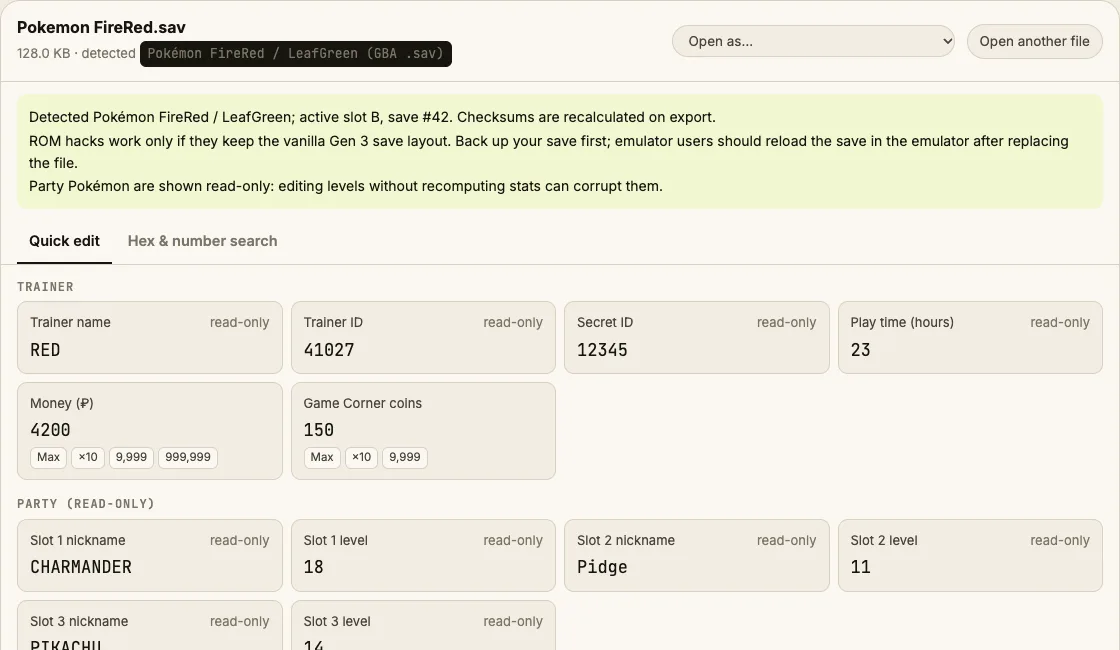
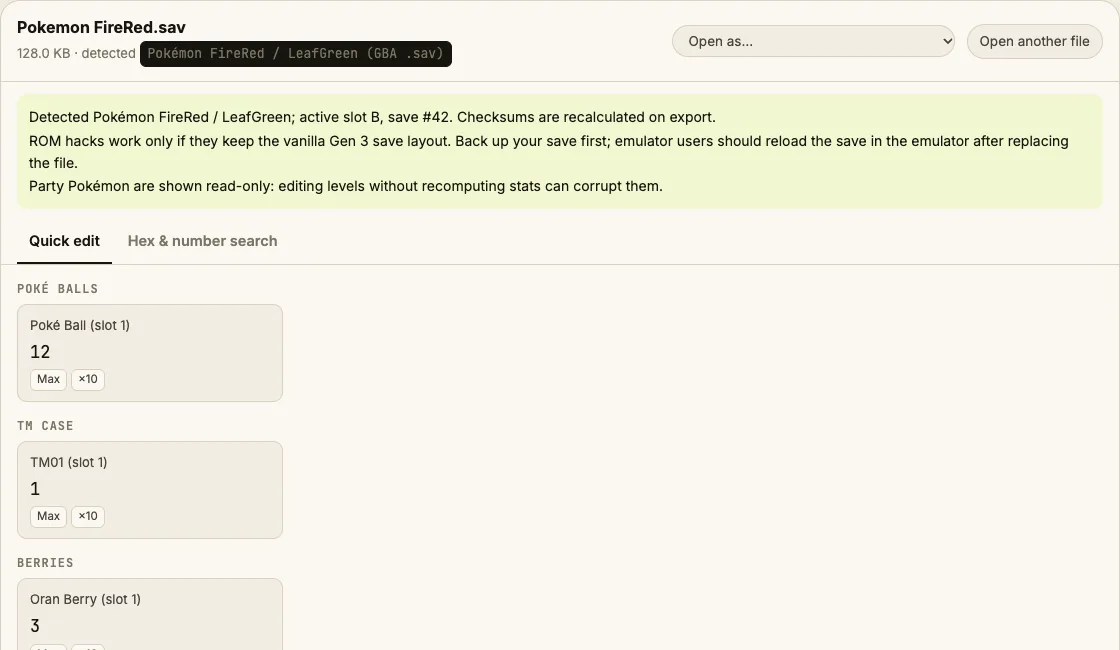
Edit your Pokémon FireRed or LeafGreen .sav in the browser: money, Game Corner coins, bag item quantities and gym badges, with the security key and checksums handled for you.
Modding instead of editing? How to install mods with r2modman or Gale
Project sources: PKHeX (desktop editor for Pokémon data)
⚠ Only edit saves of games you play offline or single-player. Editing saves of online games with anti-cheat or a shared economy can get your account banned.
How to verify it never uploads: open DevTools → Network, load your save and download the edited copy — no request carries your file (the only outgoing call is an anonymous page-view count). You can also load the page, turn off Wi-Fi and edit offline.
What you can edit in Pokémon FireRed & LeafGreen
- Money (up to 999,999) and Game Corner coins (up to 9,999)
- Quantities in the Items, Poké Balls, TM Case and Berry pockets, with item names
- Gym badges (Boulder → Earth)
- Trainer name, ID and party shown for reference
Where is the Pokémon FireRed & LeafGreen save file?
| Platform | Location |
|---|---|
| mGBA / VisualBoyAdvance (PC, Mac) | Same folder as the ROM: Pokemon FireRed.sav |
| RetroArch (PC, Android) | RetroArch/saves/<rom name>.srmAn .srm is the same 128 KB battery save. Rename it to .sav to edit and back to .srm afterwards. |
| My Boy! / Pizza Boy (Android) | The emulator's save folder, usually next to the ROMUse the in-game save, not a save state. |
| Delta (iPhone) | Game → long-press → Export Save File; import the edited file the same way. |
| Real cartridge | Back up and restore with a cartridge dumper such as GB Operator. |
How to edit your Pokémon FireRed & LeafGreen save
- Save inside the game (Start → Save), then close the emulator.
- Copy the .sav as a backup.
- Drop it into the editor above. Check the trainer name and party match your game.
- Change money, coins, items or badges in Quick edit.
- Click Download edited save and put it back next to the ROM with exactly the same file name.
- Boot the game and pick Continue. Don't load a save state — it holds the old data and would overwrite the edit.
Tips
- Want Rare Candies or Master Balls? Raise the quantity of one you already carry. An item that isn't in the bag yet needs a slot in that pocket, so pick up any item in-game first and change it here.
- Badges set here unlock the matching HM field moves outside battle, just like earning them.
- Emulator save states (.ss0, .state, .sgm) override the battery save. Always use Continue on the title screen.
Limits
- Editing Pokémon species, moves, IVs and boxes isn't offered — those use per-Pokémon encryption where a mistake makes a Bad Egg. Use PKHeX on a PC for that.
- Works on clean FireRed/LeafGreen layouts and on hacks that keep that layout. Radical Red and other expansion-based hacks move things around; if the values look wrong, don't download.
Editors that work the same way
- Pokémon Save Editor (Gen 3): the same Gen 3 engine for Ruby, Sapphire and Emerald saves.
- Pokémon Elite Redux Save Editor & Cheats: a FireRed-era hack with its own save layout and cheats list.
- Animal Crossing: New Leaf Save Editor (ACNL): Bells and coupons for another Nintendo handheld save with checksums.
- Undertale Save Editor: gold, LV and flags for a retro-style RPG save.
Pokémon FireRed & LeafGreen save editing FAQ
Is there a FireRed save editor that works on a phone?
Yes, this one. It runs in the mobile browser: export the .sav from My Boy!, Pizza Boy, RetroArch or Delta, edit it here, and import it back. No app or PKHeX install needed.
Why did my money look like a random number in other editors?
FireRed and LeafGreen XOR money, coins and bag quantities with a per-save security key. Editors that ignore the key show garbage. This one reads the key and applies it in both directions.
Will the game say the save file is corrupted?
No. Every 4 KB section has a checksum; the editor recalculates the ones it changes and leaves the backup slot untouched, so the game loads the new save.
Does it work with LeafGreen?
Yes. FireRed and LeafGreen share one save layout, so money, items and badges are in the same places.
How do I get lots of Rare Candies in FireRed?
Carry at least one Rare Candy, open the save here and set its quantity up to 999. Same result as the cheat code, without the risk of glitching your game.
What about Ruby, Sapphire and Emerald?
Those saves open in the general Pokémon save editor, which shares this engine.
Is my save uploaded?
No. The file is read and rewritten in your browser; it never leaves your device.
Tested on generated FireRed/LeafGreen saves: money, coins, item quantities and badges reopen with the new values, the security key is applied, every checksum validates and an unedited export is byte-identical. Save Editor is an independent tool and isn't affiliated with the makers of Pokémon FireRed & LeafGreen.
Other save editors