Save Editor / Games / Deep Rock Galactic
Deep Rock Galactic Save Editor
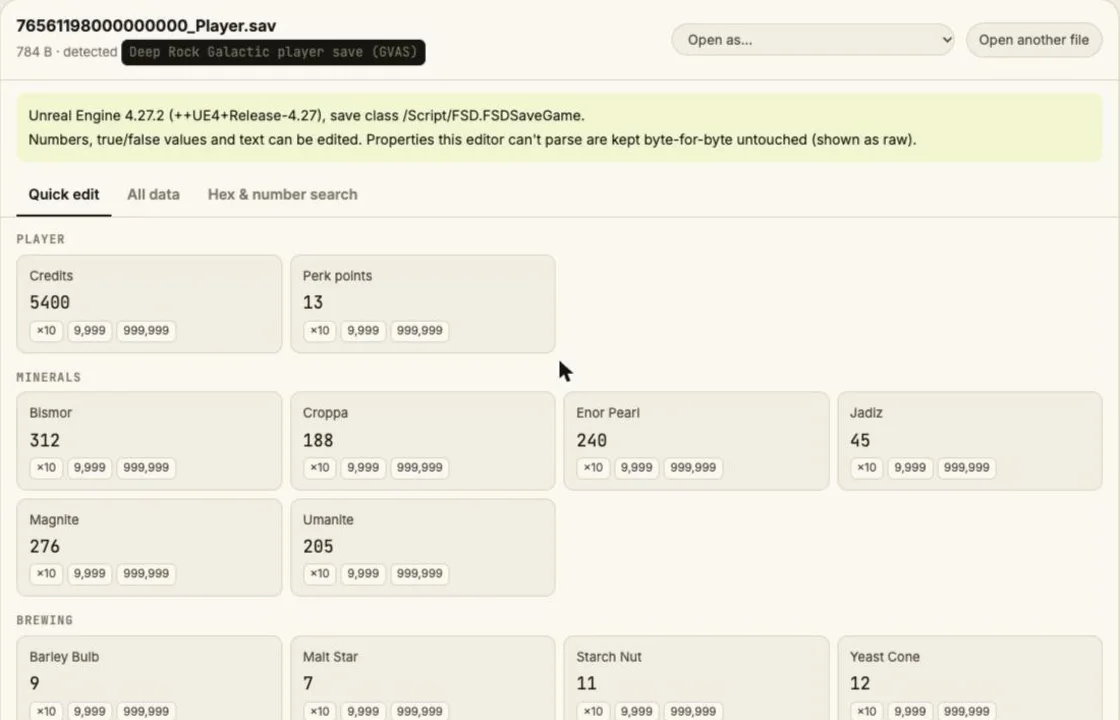
Edit your Deep Rock Galactic _Player.sav in the browser: credits, perk points, scrip, every mineral and brewing ingredient.
Modding instead of editing? How to install mods with r2modman or Gale
Project sources: MrMarble/drg save format notes
⚠ Only edit saves of games you play offline or single-player. Editing saves of online games with anti-cheat or a shared economy can get your account banned.
How to verify it never uploads: open DevTools → Network, load your save and download the edited copy — no request carries your file (the only outgoing call is an anonymous page-view count). You can also load the page, turn off Wi-Fi and edit offline.
What you can edit in Deep Rock Galactic
- Credits, perk points and scrip for each season
- Minerals: Bismor, Croppa, Enor Pearl, Jadiz, Magnite, Umanite
- Brewing ingredients: Barley Bulb, Malt Star, Starch Nut, Yeast Cone
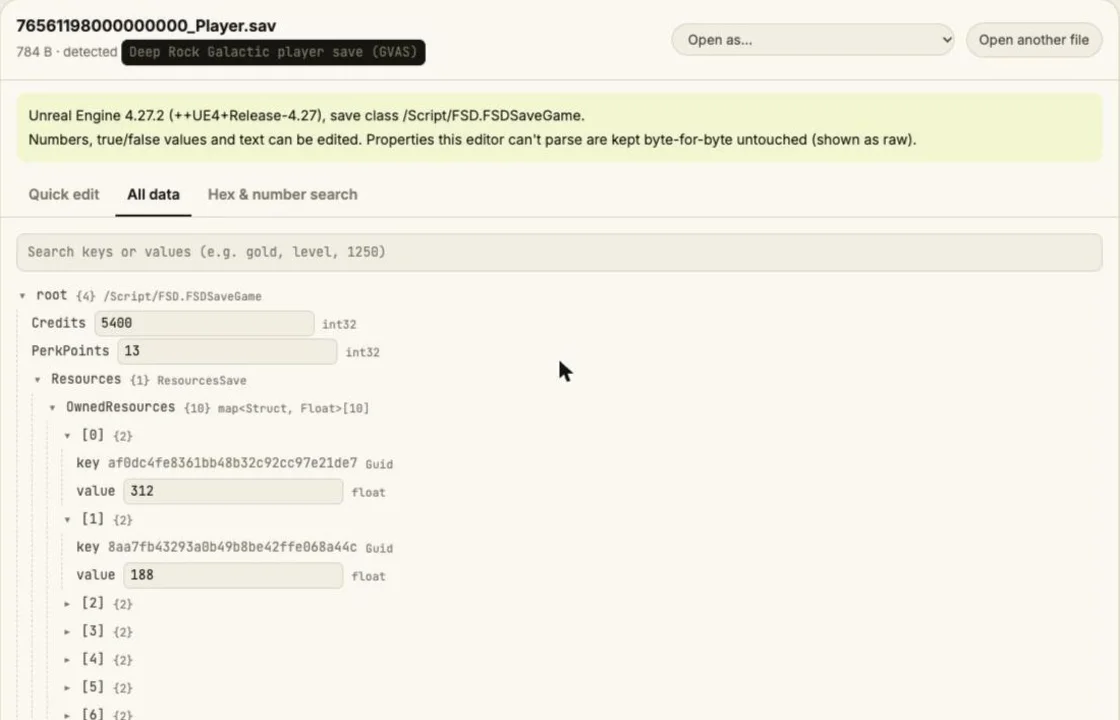
- Every property in the save in All data; unknown data is kept byte for byte
Where is the Deep Rock Galactic save file?
| Platform | Location |
|---|---|
| Steam (Windows) | <Steam>\steamapps\common\Deep Rock Galactic\FSD\Saved\SaveGames\<SteamID>_Player.savRight-click the game in Steam → Manage → Browse local files, then open FSD\Saved\SaveGames. |
| Steam Deck / Linux | ~/.local/share/Steam/steamapps/common/Deep Rock Galactic/FSD/Saved/SaveGames/ |
| Xbox app / Game Pass PC | %LOCALAPPDATA%\Packages\CoffeeStainStudios.DeepRockGalactic_*\SystemAppData\wgs\The same GVAS data is stored under random file names. Most players switch to Steam save sync (Options → Save) and edit the Steam file instead. |
Tip: on Windows, paste a path that starts with % into the File Explorer address bar.
How to edit your Deep Rock Galactic save
- Quit Deep Rock Galactic completely.
- Open FSD\Saved\SaveGames\ and copy <SteamID>_Player.sav to a backup folder.
- Drop the .sav into the editor above.
- Set credits, perk points or minerals in Quick edit.
- Click Download edited save and replace the original file (keep the same name).
- Start the game and check the Space Rig terminal before joining a mission.
Tips
- Edit before you play online. Values that jump by millions are visible to other players in the lobby only through your cosmetics and promotions, but keeping numbers believable avoids questions.
- If Steam Cloud brings back the old file, disable cloud sync for the game while you replace the save, then turn it back on.
- Forge and Matrix Core cosmetics need specific blueprint unlocks. Extra credits and minerals let you craft every one you already own as soon as you load.
Limits
- Unlocking weapon overclocks or cosmetics that you haven't found isn't in Quick edit. Those IDs are internal GUIDs, and a wrong one is ignored or crashes the forge.
- Supports the Steam _Player.sav. Game Pass container files can be edited only after Steam sync copies them out.
Editors that work the same way
- Palworld Save Editor: another Unreal Engine save edited through the same GVAS property tree.
- No Man's Sky Save Editor: units, nanites and resources for a mining-and-crafting game.
- Terraria Save Editor: coins and inventory for a co-op digging game with the same grind.
- RoadCraft Save Editor: money and XP for a co-op heavy-machinery game.
- Slay the Spire 2 Save Editor & Cheats: gold and HP for a run-based game you can play co-op.
- MHGU Save Editor: zenny and HR points for the other co-op game built on repeated hunts.
Deep Rock Galactic save editing FAQ
Where is the Deep Rock Galactic save file?
In the game folder: steamapps\common\Deep Rock Galactic\FSD\Saved\SaveGames\<SteamID>_Player.sav. It isn't in AppData.
Can I get banned for editing my save?
DRG has no anti-cheat for single-player progress and saves are local. Hosting public lobbies with modded saves is up to your own judgement; the game doesn't flag it.
How do I add credits in Deep Rock Galactic?
Drop your _Player.sav here, change Credits in Quick edit, download and replace the file while the game is closed.
Why aren't my minerals showing up?
A resource only exists in the save after you've collected it once. Mine a little of it, save, and open the file again.
Is there a working DRG save editor after the update?
This one reads the current GVAS layout and recognises resources by their GUID, so it follows game updates that add new fields.
Is my save uploaded?
No. The file is parsed and rewritten in your browser tab. Nothing leaves your computer.
Tested on a synthetic Unreal GVAS player save built with the resource GUIDs published by the open-source MrMarble/drg and drg-editor projects: an unedited export is byte-identical, and credit and mineral edits reopen with the new values. Save Editor is an independent tool and isn't affiliated with the makers of Deep Rock Galactic.
Other save editors